

You might think your crypto is safe because you wrote down your seed phrase on a piece of paper. But if that paper lives in your head while your browser runs ten different extensions, you are already exposed. Browser wallets like MetaMask are browser-based cryptocurrency wallets that connect to decentralized applications (dApps) via the Ethereum provider API are convenient, but they run inside environments designed for ads, not banking. Every time you click "Connect," you are handing keys to a digital vault to a website that could be legitimate today and compromised tomorrow.
The threat landscape has shifted. It is no longer just about weak passwords. The real danger lies in the invisible layer between you and the blockchain: your browser extensions, the permissions you blindly accept, and the lack of robust phishing blocklists. This guide breaks down exactly how these vulnerabilities work and gives you a concrete checklist to harden your setup before a hacker drains your account.
Why Browser Extensions Are a Supply-Chain Nightmare
To understand why your wallet is at risk, you need to understand what an extension actually does. A browser extension is a small software program that modifies your browser experience. They are defined by a file called `manifest.json`, which lists their capabilities. When you install a wallet or a portfolio tracker, you are granting it access to your browser's Document Object Model (DOM).
This access is powerful. It allows the extension to read and modify any web page content inside active tabs. Security vendors like PhishFort describe malicious or hijacked extensions as a supply-chain threat. Here is how it works: attackers buy legitimate, popular extensions from independent developers who want to cash out. Once they own the extension, they push a malicious update. Because the extension was already trusted and installed by thousands of users, the browser automatically updates it without asking for permission again.
In the crypto context, this is catastrophic. That updated code can now inject fake wallet pop-ups, redirect you to phishing decentralized applications (dApps), or exfiltrate your private keys directly from your clipboard. You aren't just trusting the developer; you are trusting the entire supply chain of that extension's future ownership.
The Danger of Broad Site Permissions
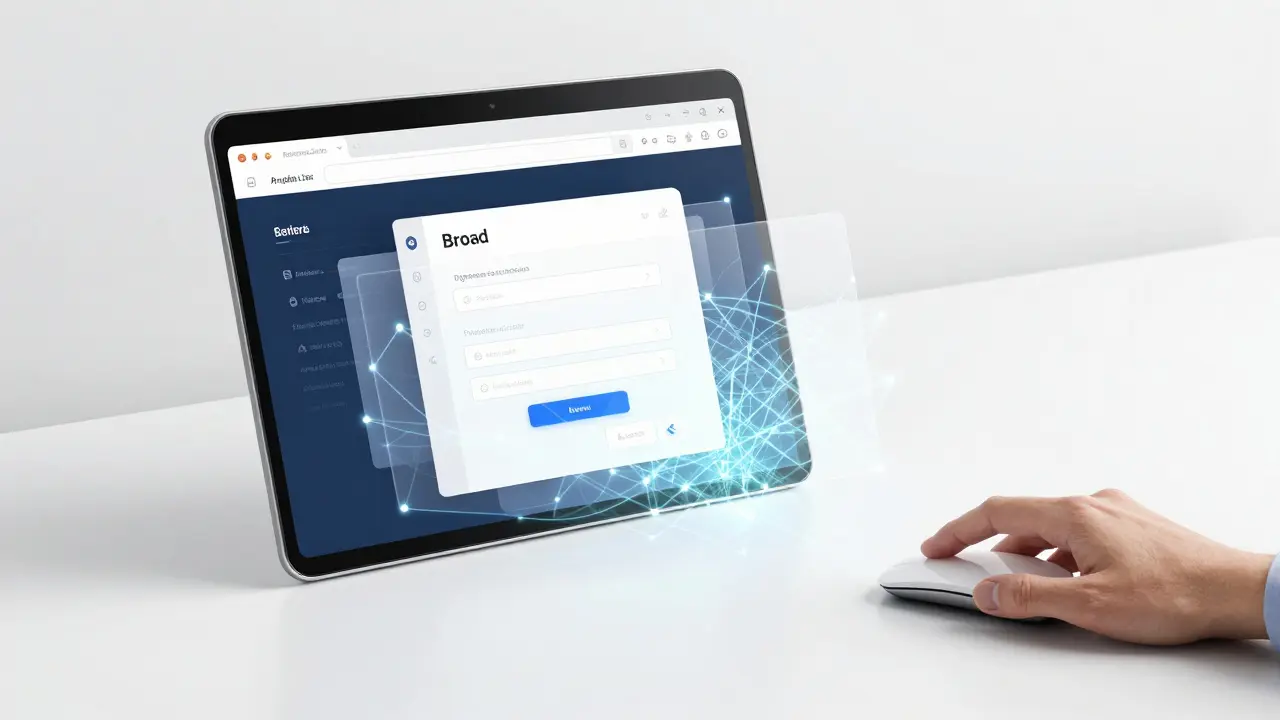
Most users never look at the permissions screen when installing an extension. They see a list of checkboxes and hit "Add" without reading. This is where most breaches begin. Brightside AI notes that permissions like "Read and change all your data on the websites you visit" effectively give an extension complete access to everything you do online.
For a crypto user, this means the extension can see your wallet UIs, embedded iframe widgets from exchanges, and on-chain transaction confirmation screens. If you have a malicious ad-blocker or a PDF formatter running with these permissions, it can silently capture your keystrokes, replace destination addresses in a transfer form, or simulate a legitimate wallet prompt during a high-value transaction.
Edall Systems, in security analysis of the Trust Wallet browser extension, emphasizes that granting an extension "access to all sites" greatly broadens exposure. Any page can call the extension API. The safer pattern is restricting access. You should configure your wallet extension to run only on specific, trusted sites or only when you explicitly click its icon. This limits the attack surface significantly.
How to Audit and Harden Your Extension List
You cannot secure what you do not monitor. The first step to better browser wallet safety is a ruthless audit of your current extensions. Follow this routine:
- Limit the Count: Keep your total number of active extensions low-ideally under 5-7 per browser profile. Each extension adds to your cumulative attack surface.
- The One-Month Rule: Remove any extension you have not used in the past month. If you don't need it right now, you don't need it installed.
- The Six-Month Update Check: Verify that remaining extensions have been updated within the last six months. Outdated extensions often contain known vulnerabilities that developers have patched in newer versions.
- Change Site Access: Right-click on essential extensions and change their "Site access" setting from "On all sites" to "On click." This ensures the extension only runs when you explicitly authorize it.
Brightside AI recommends spending at least two minutes researching any new extension before installation. Search for the extension name plus terms like "scam" or "safe." Check the developer’s website. Be skeptical if they only list generic email addresses like Gmail or Hotmail. Look for patterns in reviews; thousands of five-star ratings arriving on the same date suggest manipulation.
Phishing Blocklists and Web3 Security Tools
Even with a clean extension list, you still face phishing attempts. Scammers create fake versions of popular dApps to steal credentials. This is where phishing blocklists come in. These are continuously updated databases of malicious domains and addresses that security tools use to block access or display warnings.
CoinGecko’s security guide identifies several popular security browser extensions in the crypto space as of the mid-2020s, including AegisWeb3, Pocket Universe, Wallet Guard, Revoke.cash, Fire, Web3 Antivirus, and BlowFish. These tools integrate with your browser to analyze on-chain actions and warn about risky smart contracts.
For example, Wallet Guard intercepts transaction requests and shows human-readable summaries. It warns you if a transaction is attempting to drain all tokens or grant unlimited allowances. Revoke.cash specializes in helping users manage and revoke token allowances previously granted to dApps. This is crucial because malicious or compromised dApps can abuse lingering unlimited approvals to move assets without new prompts.
| Extension Name | Primary Function | Key Feature |
|---|---|---|
| AegisWeb3 | Transaction Simulation | Shows exact outcome of transactions before signing |
| Wallet Guard | Real-time Protection | Blocks known phishing domains and suspicious contracts |
| Revoke.cash | Allowance Management | Helps revoke unused token approvals to prevent draining |
| Web3 Antivirus | Reputation Scoring | Scores contracts and addresses based on community data |
Using these tools creates overlapping layers of defense. Native browser protections like Safe Browsing or SmartScreen catch general web threats, while specialized Web3 extensions catch crypto-specific scams. Combining them yields a much higher chance of stopping a phishing attempt before a dApp connection ever reaches your wallet UI.
Signs Your Browser Is Compromised
If you suspect an extension has been hijacked, you need to act fast. PhishFort lists specific indicators that an extension might be compromised. Watch for sudden browser slowdowns, unexpected redirects to phishing pages, or pop-up ads appearing on websites that normally do not show ads.
Brightside AI adds that unexplained changes to homepages or search engines, slower browser performance, unexpected logouts, or friends reporting spam from your accounts are all red flags. High install counts are not a guarantee of safety; attackers actively seek to acquire high-install-count extensions precisely to gain instant access to a large, trusted user base.
If you see these signs, follow this incident response plan:
- Go to your browser’s extensions page (`chrome://extensions` for Chrome, `about:addons` for Firefox, or `edge://extensions` for Edge).
- Disable the suspicious extension immediately. See if the problem (such as new ads or redirects) stops.
- If it does, remove the extension entirely.
- Clear your browsing history, cookies, and cache.
- Secure important accounts by changing passwords and enabling two-factor authentication (2FA).
- Check for unauthorized transactions on your wallet and exchange accounts.
Best Practices for Long-Term Wallet Safety
Security is not a one-time setup; it is a habit. To maintain browser wallet safety in 2026 and beyond, adopt these ongoing practices:
- Use Separate Profiles: Consider using a separate browser profile or even a dedicated browser for sensitive activities like banking and crypto management. Keep this profile free of unnecessary extensions.
- Verify URLs Manually: Do not rely solely on bookmarks. Type URLs manually or copy-paste from official sources to avoid typosquatting attacks.
- Monitor Permission Creep: Watch for existing extensions that suddenly ask for new invasive permissions after an update. Uninstall such extensions immediately.
- Keep Software Updated: Ensure your browser and OS are always up to date. Developers patch security issues through updates regularly.
- Consider Hardware Wallets: For large holdings, move assets to a hardware wallet. Browser wallets are best suited for daily interaction with dApps, not long-term storage of significant value.
Enterprise-level solutions are also emerging. On March 5, 2026, Push Security announced new malicious browser extension detection and blocking capabilities. While aimed at organizations, this trend highlights that extension risk is recognized as a serious corporate threat. Individuals should apply similar rigor to their personal setups.
Is it safe to use MetaMask on a regular browser?
It is relatively safe if you follow strict hygiene practices, but it carries inherent risks. MetaMask runs as a browser extension, meaning it shares the DOM with every other extension and website you visit. To maximize safety, limit the number of other extensions you have installed, restrict MetaMask's site access to "On click," and use additional security tools like Wallet Guard or AegisWeb3 to scan transactions before signing.
What does "Read and change all your data on the websites you visit" mean?
This permission grants an extension complete access to view and modify any content on any website you browse. For a crypto user, this is highly dangerous because a malicious extension could inject fake login forms, capture your seed phrase if typed into a field, or alter transaction details on a dApp interface. Only grant this permission to trusted wallet extensions, and even then, consider restricting site access.
How often should I audit my browser extensions?
You should audit your browser extensions at least once a month. During this audit, remove any extensions you haven't used in the past month, check that remaining extensions have been updated within the last six months, and verify that their permissions still make sense for their function. Regular audits help catch compromised or abandoned extensions early.
Can a non-crypto extension steal my crypto?
Yes. If a non-crypto extension (like an ad blocker or PDF tool) has broad permissions to read and change website data, it can potentially intercept clipboard data containing private keys, inject malicious scripts into dApp interfaces, or redirect you to phishing sites. Always treat every extension as a potential liability, regardless of its stated purpose.
What is a phishing blocklist in crypto?
A phishing blocklist is a database of known malicious domains, URLs, and contract addresses that are associated with scams and fraud. Security extensions like Wallet Guard and Web3 Antivirus use these blocklists to automatically block access to scam sites or warn you before you interact with them. These lists are updated regularly based on community reports and threat intelligence.
