
When you're teaching online, your quizzes aren't just a way to check if students paid attention-they're a core part of learning. A poorly designed quiz can confuse learners, kill motivation, or worse, give false signals about their understanding. But the right LMS with strong assessment tools? It turns testing into feedback, not just grading. So which platforms actually deliver powerful, flexible, and reliable testing features in 2026?
What Makes a Quiz Tool "Robust"?
Not all quizzes are created equal. A "robust" testing system doesn't just ask multiple-choice questions and count right answers. It needs to adapt to how people learn, prevent cheating, give meaningful feedback, and integrate smoothly into the rest of the course. Here’s what separates the good from the great:
- Question variety - Beyond multiple choice: drag-and-drop, matching, file uploads, essay prompts, audio/video responses.
- Adaptive testing - Questions change based on how a learner performs, making it feel personalized.
- Time limits and randomization - Stops memorization and encourages real understanding.
- Proctoring options - Webcam monitoring, screen recording, AI behavior analysis.
- Instant feedback - Students see why they got something wrong, not just that they did.
- Analytics - Instructors get data on which questions tripped up the most students, how long people spent, and where learning gaps exist.
- Integration - Works with gradebooks, accessibility tools, and third-party apps like Turnitin or Zoom.
If your LMS doesn’t hit at least five of these, you’re probably using a system built for basic tracking-not real learning.
Canvas: The All-in-One Powerhouse
Canvas is the go-to for universities and large institutions, and for good reason. Its quiz engine is one of the most mature in the market. You can create quizzes with 20+ question types, including interactive ones like hotspot image selection and equation editors for math-heavy courses.
Canvas lets you randomize question order and answer choices across students. You can set up adaptive quizzes where the next question depends on the previous answer-perfect for diagnostic assessments. It also supports timed quizzes with automatic submission, and integrates with Proctorio and Honorlock for remote proctoring.
Its analytics dashboard shows you question-level performance, time-on-task, and even how many students skipped a question. Instructors can export results to Excel or build custom reports. Canvas also allows students to review their quiz attempts with feedback and correct answers after submission, turning every quiz into a learning moment.
What’s missing? The interface can feel overwhelming for new users. And while it supports accessibility well, setting up alt-text for images or captioned videos requires manual work.
Moodle: Open Source, Deeply Customizable
Moodle has been around since 2002, and its quiz module is legendary for flexibility. Unlike commercial platforms, Moodle lets you install plugins that add entirely new question types-like drag-and-drop ordering, cloze (fill-in-the-blank with multiple blanks), or even interactive simulations built with H5P.
You can create branching quizzes where learners take different paths based on their answers. For example, if a student answers a biology question wrong, they get a remedial video before trying again. If they get it right, they jump to advanced material. This kind of personalization is built into the core, not bolted on.
Its built-in plagiarism checker (via Turnitin integration) and AI detection tools help maintain academic integrity. Moodle also supports offline quizzes, so students can take tests on mobile devices without internet, then sync later.
But there’s a catch: Moodle’s strength is also its weakness. The sheer number of settings can paralyze instructors. If you’re not tech-savvy, you’ll need training-or a dedicated IT person. And while the community adds plugins constantly, updates can sometimes break custom setups.
Blackboard Learn: Enterprise-Grade, But Clunky
Blackboard still holds a big share in higher education, especially in the U.S. Its testing tools are robust in theory. You can create complex question banks, set time limits, allow multiple attempts, and use randomized question pools.
Its SafeAssign feature checks for plagiarism with high accuracy, and it supports proctoring via Respondus Monitor. You can even embed videos or audio clips directly into questions, which is great for language or music courses.
But the user experience is dated. The interface feels like it was designed in 2015. Navigation is confusing, and loading times lag behind modern platforms. Many instructors report glitches when exporting grades or syncing with external gradebooks. It works-but it’s not enjoyable to use.
For institutions locked into legacy systems, Blackboard still delivers. But if you’re choosing a new LMS in 2026, it’s hard to recommend unless you have deep institutional support.
Google Classroom + Forms: Lightweight, But Limited
Many schools use Google Classroom because it’s free and simple. Pair it with Google Forms, and you get basic quizzes. You can auto-grade multiple-choice and short-answer questions. It integrates with Google Drive, so students can submit written work or presentations easily.
But that’s about it. No adaptive testing. No question randomization beyond shuffle. No proctoring. No essay rubrics. No analytics beyond percentages. If a student takes the quiz on a phone, they can’t upload a handwritten answer. If they copy-paste an essay, there’s no plagiarism check.
It’s fine for quick formative checks-like a 5-question warm-up. But don’t try to use it for midterms, final exams, or certification prep. It lacks the depth to be a true assessment tool.
D2L Brightspace: Modern, Smart, and Intuitive
Brightspace is quietly becoming one of the most popular choices for colleges and corporate training. Its quiz engine is built from the ground up for learning, not just testing.
One standout feature: Intelligent Agents. These let you set triggers-like if a student scores below 70% on a quiz, they automatically get sent a review module or a chat invite with their instructor. It turns assessment into intervention.
Brightspace also supports oral exams via video submission. Students record answers to questions, and instructors can grade them with timestamped feedback. It’s ideal for speech therapy, law, or performance-based subjects.
Its analytics engine, called "Insights," shows real-time dashboards of class performance, individual progress, and risk flags. You can see who’s falling behind before they even fail a quiz. It also integrates with accessibility tools like screen readers and captioning services out of the box.
The interface is clean, responsive, and mobile-friendly. Training takes less time than Canvas or Moodle. And unlike Blackboard, it feels like it was designed for 2026, not 2010.
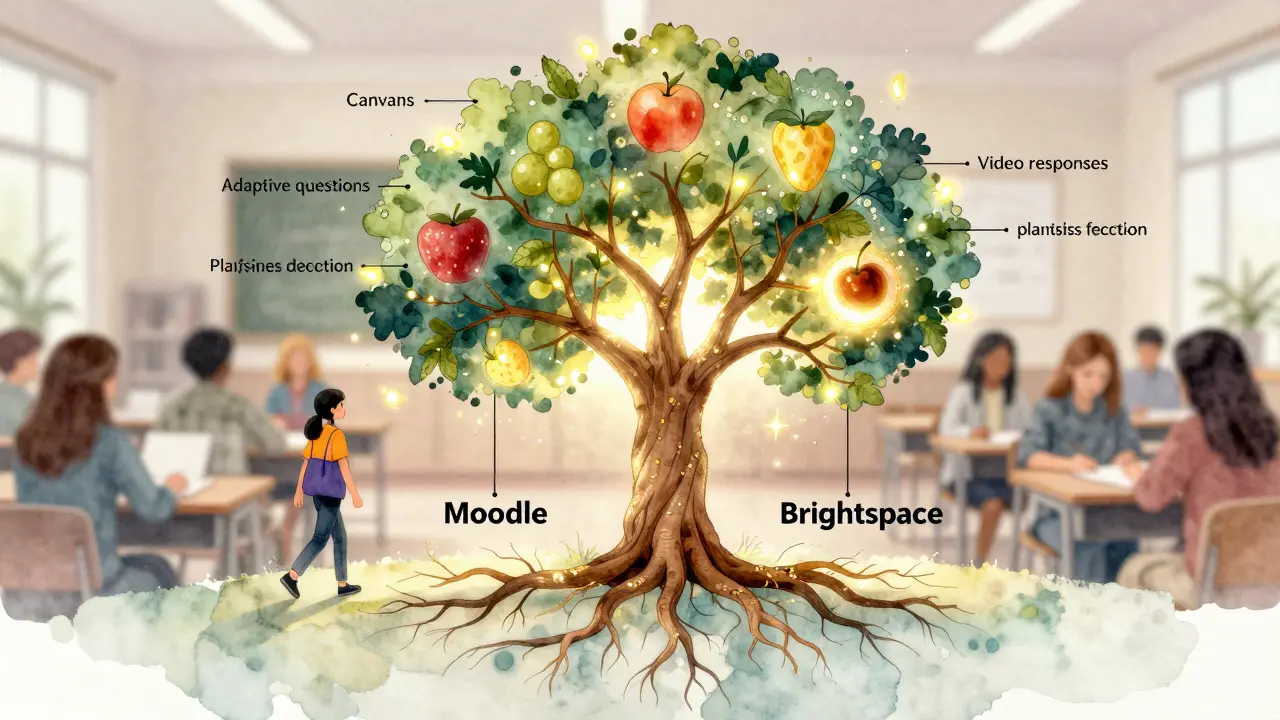
Comparison Table: LMS Quiz Tools at a Glance
| Feature | Canvas | Moodle | Blackboard | Brightspace | Google Classroom |
|---|---|---|---|---|---|
| Question Types | 20+ | 30+ (with plugins) | 15 | 18 | 5 |
| Adaptive Quizzing | Yes | Yes | Yes | Yes | No |
| Proctoring Integration | Yes | Yes | Yes | Yes | No |
| Instant Feedback | Yes | Yes | Yes | Yes | Yes |
| Analytics Dashboard | Advanced | Basic | Basic | Advanced | Basic |
| Mobile-Friendly | Yes | Yes | Partially | Yes | Yes |
| Plagiarism Detection | Yes (via Turnitin) | Yes (via plugins) | Yes (SafeAssign) | Yes (built-in) | No |
| Best For | Universities, large courses | Custom needs, tech-savvy teams | Legacy institutions | Modern learning, corporate training | Quick, simple quizzes |
What You Should Choose
If you’re running a university or a large training program with hundreds of students, Canvas gives you the most balance of power and usability. It’s reliable, well-documented, and widely supported.
If you’re building a custom learning path-say, for a niche certification or a nonprofit-and you have the tech resources, Moodle is unbeatable. You can tailor it to fit exactly how people learn, not how software assumes they should.
If you’re in corporate training or a forward-thinking college that values student experience, Brightspace is the quiet winner. Its proactive analytics and clean interface make it the most human-centered option.
Avoid Blackboard unless you’re stuck with it. And skip Google Classroom if you need anything beyond basic quizzes.
Future-Proofing Your Assessments
The best LMS tools in 2026 don’t just grade-they guide. They spot when a student is struggling before they fail. They adapt to learning styles. They turn mistakes into teachable moments.
As AI becomes more common in education, platforms that let you embed AI tutors into quizzes-like offering hints after a wrong answer-will lead the pack. Canvas and Brightspace already support experimental AI integrations. Moodle’s plugin ecosystem will likely catch up fast.
Don’t just pick the platform with the most features. Pick the one that helps students learn better. That’s the real test.
Can I use quizzes to track student progress over time?
Yes, all major LMS platforms allow you to track progress across multiple assessments. Canvas and Brightspace offer detailed dashboards that show trends in performance, time spent, and improvement over time. Moodle lets you export data for custom analysis. Even Google Classroom tracks scores over time, though with less depth.
Do any LMS platforms support oral exams or video responses?
Yes. Brightspace has built-in support for video submissions and timed oral exams. Canvas allows file uploads for video/audio responses. Moodle can integrate with H5P or external tools like Flipgrid for interactive video responses. Blackboard supports video submissions but with less intuitive tools.
Are these platforms accessible for students with disabilities?
Canvas and Brightspace are WCAG 2.1 compliant and work well with screen readers, keyboard navigation, and captioning tools. Moodle supports accessibility but requires careful setup. Blackboard has improved but still has known issues. Google Forms is generally accessible but lacks advanced features like alternative text for complex images.
Can I reuse quiz questions across different courses?
Yes. Canvas, Moodle, and Brightspace all let you build question banks and reuse them across multiple courses. Moodle even lets you export and import entire question sets as XML files. Google Classroom doesn’t support this-you have to recreate questions manually.
Which platform is easiest for instructors with no tech experience?
Brightspace wins here. Its interface is clean, intuitive, and guides you through quiz creation step-by-step. Canvas is next-powerful but requires more learning. Moodle and Blackboard are complex. Google Classroom is simple, but only for very basic quizzes.

Comments (15)
Aafreen Khan February 26 2026
LMAO at people still using Blackboard in 2026 😂 I work at a community college and our IT guy still cries when he sees the update notifications. It's like using a flip phone to video call your therapist.Stephanie Serblowski February 27 2026
Brightspace is the real MVP here. Seriously, the Intelligent Agents feature? That's not just LMS-that's a digital emotional support system. 🤗 I've seen students who were about to drop out get pinged a personalized review module before they even failed. It's like Netflix but for learning.Tyler Durden February 28 2026
I've used Canvas for 8 years. It's not perfect, but it's the only one that doesn't make me want to scream into a pillow after setting up a quiz. The analytics? Chef's kiss. The interface? A little cluttered, sure-but once you learn where the buttons hide, it's smooth. Also, the equation editor for calculus quizzes? Life saver.Christina Kooiman March 1 2026
I must correct you all: the word is 'proctoring,' not 'proctoring.' And 'WCAG 2.1 compliant'-not 'WCAG 2.1, compliant.' Also, 'H5P' is not pronounced 'hifive-p.' It's 'aitch-five-p.' This is why education is failing. And yes, I checked the article. Three errors. Three. I'm not even mad. I'm just disappointed.michael T March 3 2026
Moodle? More like Mood-swing. I spent 3 weeks trying to get a simple drag-and-drop quiz working. My students were doing better on the actual content than I was on the LMS. Now I just email them PDFs. At least I can control the font size. And the damn plugin updates? Broke my entire course last semester. I'm not trusting open source again until they install a panic button.Jeremy Chick March 4 2026
Google Classroom is fine for 5th grade. I teach undergrad econ. You think a student is gonna upload a 10-page analysis of Keynesian policy as a Google Doc? And expect it to auto-grade? Nah. That's like trying to build a spaceship with LEGO. It’s cute. It’s not functional.Sagar Malik March 6 2026
You're all missing the point. These platforms are surveillance tools disguised as learning aids. AI proctoring? Behavioral analysis? They're not tracking learning-they're tracking compliance. The real question isn't which LMS is best… it's whether we should be building tools that make students feel like suspects.Renea Maxima March 7 2026
I'm not saying AI tutors are bad. But if a student gets a wrong answer and gets a pop-up saying 'Try again, you can do it!'… are we teaching critical thinking? Or are we just giving them a digital hug? Sometimes failure is the best teacher. Maybe we're removing too much friction.Megan Ellaby March 8 2026
I'm a high school teacher and we switched to Brightspace last year. Best decision ever. My students actually ask for feedback now. Like, they open the quiz, see their score, and say 'Can you explain why I got #7 wrong?' Not 'Why is this so hard?' It's like they trust it. Weird.Seraphina Nero March 9 2026
I just want to say thank you for mentioning accessibility. My student with cerebral palsy uses a mouth stick to type. Canvas and Brightspace let him submit audio responses. He cried when he got his first A. That’s not tech-that’s humanity.Rahul U. March 9 2026
Moodle + H5P is the future. I built an interactive simulation where students manage a virtual economy. They failed 12 times. Each time, the system gave them a different tutorial. Last week, one student said, 'I finally get supply and demand.' That’s not a quiz. That’s a breakthrough.Pamela Watson March 11 2026
I used to hate Canvas. Then I tried the quiz analytics. Now I cry every time I see a student who failed the first quiz but passed the final. I just click 'view trend' and watch them improve. It's like watching a plant grow. In slow motion. With graphs.Barbara & Greg March 11 2026
The notion that 'learning' can be measured by algorithms is deeply troubling. Education is not a data pipeline. It is not a product. It is not a 'user experience.' It is a sacred, messy, human endeavor. To reduce it to question banks and dashboards is to betray its purpose.selma souza March 13 2026
You say 'proctoring' and 'analytics' like they're virtues. But what about privacy? What about consent? What about the student who has anxiety and can't sit still during a webcam exam? You call that 'robust'? I call it cruel.E Jones March 13 2026
Let’s be real. All these platforms are owned by corporations. Canvas? Owned by Instructure, which got bought by a private equity firm. Brightspace? Owned by D2L, which is rumored to be selling to a surveillance tech company. Moodle? The 'open source' one? Yeah, right. They take donations, then sell premium plugins to universities. We’re all being played. The real question isn't which LMS is best… it's who owns your mind.