

Imagine this: it’s Monday morning. You open your Learning Management System (LMS) dashboard, only to find that 40% of your new hires are missing from the "Onboarding" course list. Meanwhile, three employees who finished their compliance training last week still show as "In Progress." This is the nightmare scenario for any L&D professional relying on manual spreadsheets. The solution isn’t just better communication; it’s LMS integration. By automating how user data moves between your HR system, Identity Provider, and LMS, you eliminate human error and ensure every learner sees exactly what they need, when they need it.
Most organizations don’t have a single source of truth for employee data. You might have Workday or BambooHR for HR records, Okta or Azure AD for login credentials, and your LMS for training status. When these systems talk in real-time via APIs, the chaos stops. Here is how to build a robust automation strategy that actually sticks.
Understanding the Data Flow Architecture
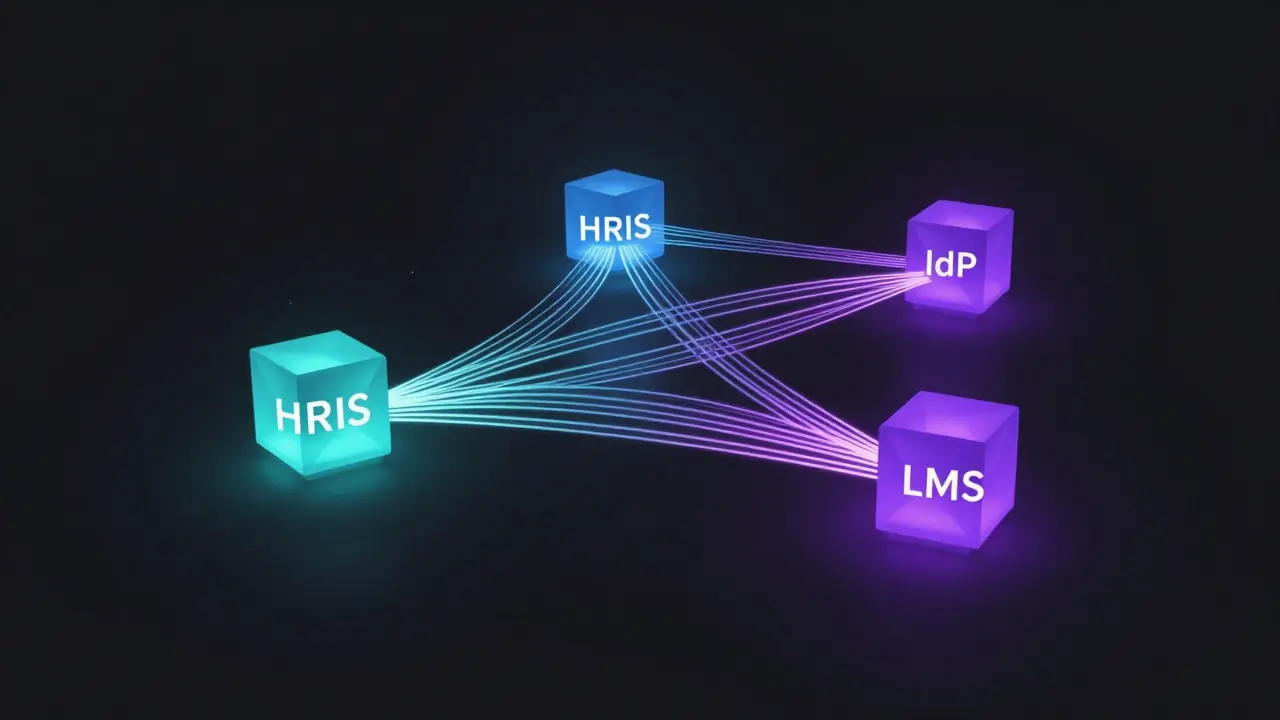
Before touching code or configuring settings, you need to map out where data lives and where it needs to go. A typical modern stack involves three core entities:
- Human Resources Information System (HRIS) is the primary database containing employee demographics, job titles, and department assignments. Examples include Workday, SAP SuccessFactors, or BambooHR.
- Identity Provider (IdP) is the security layer that manages user authentication and access rights. Common choices are Okta, Microsoft Azure AD, or OneLogin.
- Learning Management System (LMS) is the platform that hosts courses, tracks progress, and issues certificates. Popular options include Cornerstone OnDemand, Docebo, or Moodle.
The goal is to create a unidirectional flow for master data (HRIS → IdP → LMS) and a bidirectional flow for status data (LMS → HRIS). If an employee changes departments in Workday, that change should trigger an update in Okta, which then updates the user group in your LMS. If they complete a module in the LMS, that completion record should push back to Workday for payroll or promotion considerations.
Step-by-Step Implementation Strategy
You don’t need to rebuild your entire IT infrastructure overnight. Start with a phased approach to minimize risk.
- Audit Your Current State: Export a sample of 50 users from each system. Compare the fields. Are names formatted consistently? Is the email address always lowercase? Identify mismatches now, not after go-live.
- Define the Trigger Events: Decide what actions require immediate sync. Typically, this includes:
- New hire creation
- Department transfer
- Termination (deactivation)
- Course completion
- Choose Your Integration Method:
- Native Connectors: Best if your vendors offer direct integrations (e.g., Workday has native connectors for many top LMSs).
- iPaaS Platforms: Use tools like Zapier, Workato, or MuleSoft if native connectors are missing or too rigid. These act as middleware, translating data formats.
- Custom API Scripts: For complex logic, use Python or Node.js scripts to handle RESTful API calls directly. This offers maximum control but requires maintenance.
- Implement Single Sign-On (SSO): While not strictly "enrollment sync," SSO is critical. If users can’t log in easily, they won’t engage. Configure SAML 2.0 or OIDC protocols between your IdP and LMS so users log in once and access everything.
- Test with a Pilot Group: Pick one department (maybe 10-20 people). Run them through the full cycle: hire, enroll, complete, terminate. Watch the logs. Fix errors before scaling.
Common Pitfalls and How to Avoid Them
Even with the best tools, data sync fails if you ignore the small details. Here are the most common traps I’ve seen in enterprise environments.
The "Zombie User" Problem
This happens when an employee leaves the company, but their account remains active in the LMS. They might even finish a course post-termination, creating invalid completion records. To fix this, ensure your termination event in the HRIS triggers a deactivation in the IdP. The IdP should then revoke access in the LMS. Set up a weekly audit report that flags any LMS users who don’t exist in the active HRIS directory.
Data Format Mismatches
Your HRIS might store dates as "MM/DD/YYYY" while your LMS expects "YYYY-MM-DD". Or, job titles might be abbreviated in one system and spelled out in another. Standardize your data dictionary. Create a mapping table that explicitly defines how each field translates between systems. If the HRIS sends "Mgr" and the LMS expects "Manager," your automation script must handle that translation.
Latency Issues
If a new hire starts at 9 AM, do they expect to be enrolled in onboarding by 9:05 AM or 9:30 AM? Most iPaaS solutions operate on intervals (e.g., every 15 minutes or hourly). For critical onboarding flows, consider near-real-time webhooks. If you’re using batch processing, communicate clear expectations to managers so they know there’s a slight delay.
Comparing Integration Approaches
Which method should you choose? It depends on your team size, budget, and technical expertise. Here is a breakdown of the three main approaches.
| Method | Complexity | Cost | Maintenance Burden | Best For |
|---|---|---|---|---|
| Native Vendor Connector | Low | Included in license | Very Low | Large enterprises with standard stacks |
| iPaaS (e.g., Workato, Zapier) | Medium | Per-user/per-action fee | Low-Medium | Mid-sized companies needing flexibility |
| Custom API Development | High | Developer hours + server costs | High | Unique workflows or strict data privacy needs |
If you have a dedicated IT team, custom APIs offer the most precision. But if you’re a lean L&D team without developers, an iPaaS solution is usually the sweet spot. It provides visual workflow builders that let non-technical staff manage the rules.

Measuring Success: Key Metrics to Track
How do you know if your automation is working? Don’t just look at whether the system is "up." Look at business outcomes.
- Enrollment Accuracy Rate: Percentage of new hires automatically enrolled within 24 hours of start date. Target: 98%+.
- Completion Sync Latency: Time between course completion in LMS and record update in HRIS. Target: Under 1 hour.
- Orphaned Accounts: Number of active LMS users with no corresponding HRIS record. Target: Zero.
- Support Tickets: Volume of tickets related to "can't log in" or "missing course." This should drop significantly after implementation.
Set up dashboards in your BI tool (like Tableau or Power BI) to visualize these metrics. If enrollment accuracy drops below 95%, investigate immediately. It usually points to a broken webhook or a format mismatch in the latest HRIS update.
Future-Proofing Your Integration
Technology changes fast. New vendors enter the market, and existing ones update their APIs. To keep your setup resilient:
- Use Versioned APIs: Ensure your integrations specify the API version (e.g., v1 vs v2). This prevents breaking changes from silently failing your sync.
- Document Everything: Keep a living document that maps every field, trigger, and exception rule. If the person who built the integration leaves, you want the next person to understand it quickly.
- Monitor Logs Aggressively: Set up alerts for failed sync jobs. Don’t wait for a user complaint to find out the integration broke three days ago.
- Plan for Scalability: If you’re growing from 500 to 5,000 employees, ensure your API rate limits won’t choke the sync process. Test with large batches during off-peak hours.
Automating enrollment and completion sync isn’t just an IT project; it’s an experience design choice. When learners land in their LMS already enrolled in the right courses, with no friction to log in, and when managers see accurate training status without chasing spreadsheets, you’ve created a seamless ecosystem. It takes work to set up, but the payoff is a cleaner operation and happier users.
What is the difference between SSO and enrollment sync?
Single Sign-On (SSO) allows users to log in once and access multiple applications without re-entering passwords. Enrollment sync ensures that the correct users are assigned to the correct courses automatically. SSO solves the "access" problem; enrollment sync solves the "assignment" problem. You need both for a fully automated experience.
How often should LMS data sync with HR systems?
For enrollment and termination events, near-real-time (via webhooks) is ideal. For bulk updates like organizational structure changes, daily or weekly batch syncs are sufficient. The key is matching the frequency to the urgency of the data change.
Can we integrate an LMS with multiple HR systems?
Yes, but it increases complexity. You may need an intermediate data layer or a more robust iPaaS to merge data from different sources into a unified view before sending it to the LMS. Ensure you define a single source of truth for conflicting data fields.
What happens if an API call fails during sync?
A good integration setup includes retry logic. If a call fails due to a temporary network issue, the system should retry automatically after a short delay. If it fails repeatedly, it should log the error and alert an administrator. Never assume a failure is permanent without checking the logs.
Is custom API development worth the cost?
It depends. If your workflow is highly unique and off-the-shelf connectors don’t fit, custom development saves money in the long run by avoiding expensive workarounds. However, if your needs are standard, an iPaaS is faster to deploy and easier to maintain for non-technical teams.

Comments (9)
Elizabeth Brooks August 18 2026
love the breakdown on the data flow architecture here, its so easy to forget that the IdP is basically the gatekeeper for everything else. we had a similar nightmare where our HRIS was sending job titles as abbreviations and the LMS expected full names, so half our managers were showing up as "Mgr" in the reports which looked super unprofessional during exec reviews. what worked for us was building a simple mapping table in the middleware layer before the data even hit the LMS API, just a static json file that translated the codes. it saved us from having to rewrite the entire sync script every time HR decided to change their naming conventions. also, dont sleep on the pilot group testing phase, we skipped it once because we were behind schedule and ended up with 200 orphaned accounts because the termination webhook wasn't firing correctly for contractors. took three weeks to clean up manually. really solid guide overall, especially the part about versioned APIs, that is something i wish more companies paid attention to until an update breaks production at 4pm on a friday.
Anthony Miller August 18 2026
You have overlooked the most critical aspect of this entire discussion: the human cost of automation. While you speak of 'efficiency' and 'clean operations,' you ignore the fact that these systems are often designed by people who do not understand the nuance of employee experience. The 'Zombie User' problem is not merely a technical glitch; it is a symptom of a broader failure in organizational empathy. When a system deactivates an account without a grace period, it strips the individual of their professional identity overnight. This is not 'best practice'; it is bureaucratic violence dressed up in IT jargon. We must ask ourselves: at what point does the convenience of the administrator outweigh the dignity of the user? Your metrics of 'enrollment accuracy' are cold numbers that fail to capture the anxiety of a new hire who cannot access their training materials on day one. Until we address the philosophical underpinnings of these integrations, we are merely optimizing chaos rather than eliminating it.
alex kobri August 19 2026
the zombie user thing is real though. we used to have guys finishing compliance courses after they quit because the offboarding process was just... vibes. no one checked. now we have a weekly report that flags anyone in the LMS who isnt in the active directory and it catches like 90% of them within a week. the other 10% are usually interns or contractors who slip through the cracks because they are managed differently. but yeah, the deactivation trigger is key. if your IdP doesnt revoke access immediately when the HRIS says someone left, you are playing with fire. especially if you have sensitive data in those courses.
Quintin Franzese August 21 2026
oh, the tragedy of the departed employee's digital ghost haunting the compliance dashboard. truly the most pressing issue in modern corporate existence. i bet the executive team loses sleep worrying about whether Dave from accounting finished his harassment prevention module six months after he moved to a competitor. great article, very relatable.
Deb Kortyna, MBA August 23 2026
It is imperative to note that while the technical aspects of synchronization are discussed with reasonable clarity, the operational risk remains significantly understated. Many organizations assume that once the integration is live, the work is complete. However, the maintenance burden of custom API scripts, as mentioned in the third approach, can become a substantial drain on limited IT resources if not properly budgeted. One must consider the long-term sustainability of such solutions. A native connector may seem less flexible initially, but its low maintenance profile often proves superior over a multi-year horizon. Therefore, the decision should not be based solely on immediate functionality but on the total cost of ownership, including potential downtime and support costs. Ignoring this fiscal reality leads to technical debt that compounds over time, much like interest on an unpaid loan.
Tamara Miller August 25 2026
Well, isn't it just fascinating how everyone assumes that 'automation' equals 'perfection'? It's almost laughable, really. I've seen too many teams rush into these iPaaS setups thinking they're solving a complex engineering problem, only to realize they've just created a more sophisticated way to make mistakes. The 'latency issues' section is particularly amusing; of course, if a new hire starts at 9 AM, they expect magic by 9:05 AM. Why would anyone think otherwise? It's not the system's fault that humans lack patience. And let's not forget the 'data format mismatches'-if your HR department can't agree on whether a date is MM/DD/YYYY or DD/MM/YYYY, maybe the problem isn't the API, maybe it's the culture. But sure, keep blaming the software. It's always easier than admitting that manual processes were broken to begin with.
Susan Cole August 26 2026
I appreciate the detailed steps, especially the audit phase. We found out early on that our email addresses weren't standardized (some had uppercase, some lowercase) which caused duplicate user entries in the LMS. It was a small fix but took a while to clean up all the historical data. For anyone starting this, definitely check your data hygiene first.
Savara Gunn August 28 2026
this is really helpful. we are looking at doing this next quarter. thanks for breaking down the sso vs sync part, that always confused me a bit. glad to see it clarified.
Zach Loescher August 29 2026
Quietly noting that the mention of 'future-proofing' via versioned APIs is often the first thing cut in budget cycles. We tried to implement strict versioning checks in our node scripts, but it added so much overhead that we eventually removed it. Now we pray that the vendor doesn't change their endpoints without notice. It’s a fine line between robustness and complexity. Sometimes the simplest solution is a cron job that runs nightly and emails the admin if the count of users changes by more than 5%. Not elegant, but it works. Just my two cents from the trenches of maintaining legacy integrations that nobody wants to touch.