

You just bought a rare piece of digital art. It looks great in your gallery view. But here is the uncomfortable truth: owning an NFT is not about having a pretty picture on your screen; it’s about controlling the private keys that point to it on the blockchain. If you lose those keys, or if someone tricks you into signing the wrong transaction, your asset is gone. No support ticket will bring it back. As collectors, we often focus on rarity and aesthetics, but neglecting security is like buying a vintage car and leaving the keys in the ignition while walking away.
This guide cuts through the noise. We aren’t talking about abstract theory. We are talking about practical habits-how to structure your wallets, how to read what you’re actually signing, and how to clean up permissions that could drain your collection. Whether you are trading on OpenSea or minting on Ethereum, these steps keep your assets where they belong: with you.
Mastering Wallet Hygiene: The Foundation of Safety
Your recovery phrase (or seed phrase) is the master key to your entire kingdom. Ethereum.org warns explicitly that anyone who obtains this phrase can access your accounts and drain your assets. Treat it with more caution than your bank PIN. Never store it in cloud notes, screenshots, or email drafts. If your computer gets infected with malware, a screenshot sitting in your Downloads folder is as good as handing over your keys.
A common mistake is using one wallet for everything. You might connect to a new game, sign a random claim, and then wonder why your high-value holdings feel vulnerable. A safer approach is segregation. Keep a "cold" or long-term holding wallet that rarely connects to dApps. Use a separate "hot" wallet for daily interactions, mints, and trades. If that hot wallet gets compromised because you clicked a bad link, you only lose the funds inside it, not your blue-chip collection.
Hardware wallets add another layer. Devices from Ledger keep private keys offline, reducing exposure to compromised computers. However, a hardware wallet is not magic. It protects the key storage, but it does not protect you from approving a malicious transaction. If you blindly click "Approve" on a device without reading what it says, you can still authorize a transfer. Always verify the details on the device screen itself, not just in the browser pop-up.
Understanding Allowances: The Silent Risk
Here is where many collectors get caught out. When you list an NFT for sale or interact with a marketplace, you aren't just "logging in." You are granting permission. Under the ERC-721 standard , contracts use functions like `setApprovalForAll` to allow an operator to manage all tokens in a collection. This means a marketplace contract can move your NFTs if it holds that approval.
The danger arises when these permissions linger. You might approve a marketplace to sell one item, but that approval often covers the whole collection. If that marketplace contract has a vulnerability, or if a phishing site tricks you into approving a malicious address, your entire collection is at risk. These approvals are recorded on-chain. They don't expire automatically when you delete the listing.
| Type | Scope | Risk Level | Best For |
|---|---|---|---|
approve() |
Single Token ID | Low | Selling one specific item |
setApprovalForAll() |
All Tokens in Collection | High | Marketplace bulk operations |
| Malicious Operator | All Tokens in Collection | Critical | Phishing scams |
Think of allowances like giving a valet key to your car. A limited key opens the door and starts the engine. A full set of keys lets them drive off with it. Malicious sites want the full set. Regular maintenance involves checking which addresses have your "valet keys" and taking them back when you're done.

How to Revoke Permissions Safely
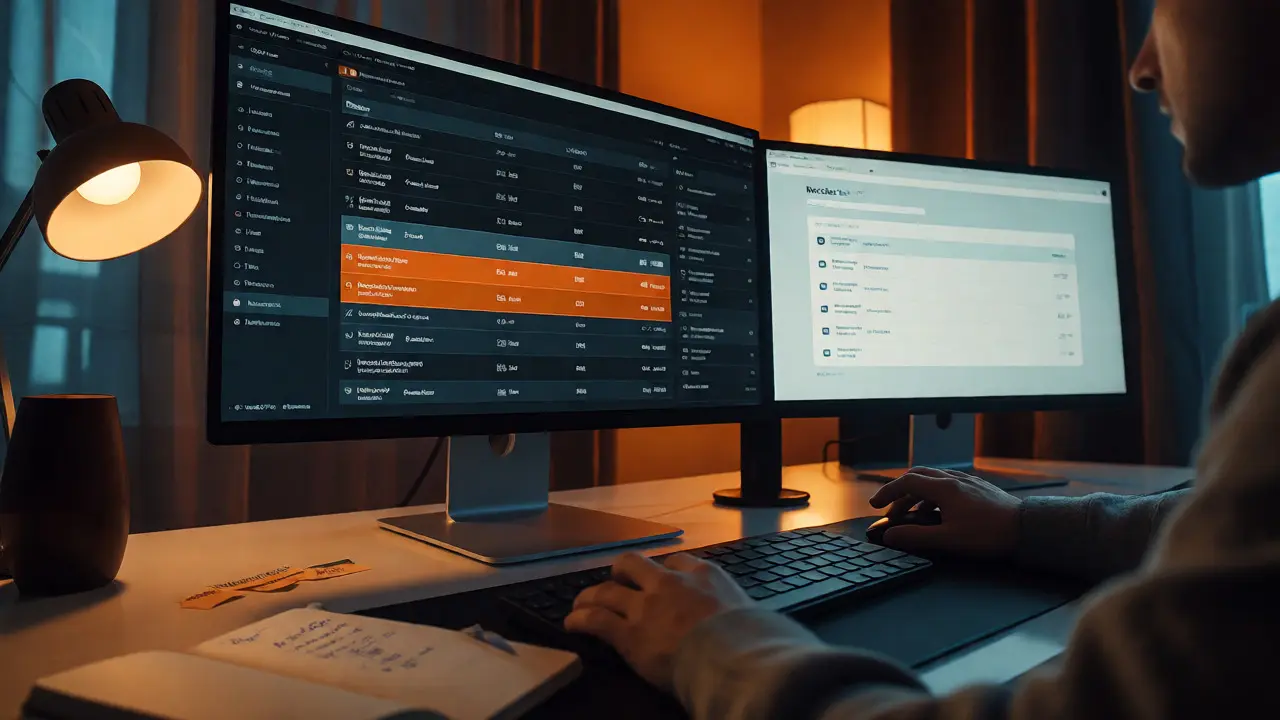
You cannot simply ask a website to remove your permission. Revocation is an on-chain transaction. It costs gas fees and requires a signature. Tools like Revoke.cash offer inspection and revocation across more than 100 networks, allowing users to filter by network and sort by date. Another option is Etherscan ’s Token Approvals page, which lists contracts approved to spend an address’s tokens.
When you go to revoke, follow these steps carefully:
- Connect your wallet to the checker tool. Do not enter your seed phrase; just connect.
- Select the correct network (e.g., Ethereum Mainnet, Polygon, Arbitrum). An approval on Ethereum doesn't show up if you are looking at Polygon.
- Review the list. Look for unknown operators or marketplaces you no longer use.
- Click "Revoke." This triggers a transaction.
- Check the gas fee. If the network is congested, you might pay more than expected.
- Confirm the transaction in your wallet.
Be wary of fake revoke sites. Phishers know people want to clean up their wallets, so they create look-alike domains. Always navigate directly to the official URL. If a site asks for your private key to "verify" your wallet, close the tab immediately. Legitimate tools never need your key.
Marketplace Safety and Due Diligence
Platforms like OpenSea state clearly that they do not custody wallets or guarantee authenticity. They provide a venue, not insurance. Before you buy, check the seller's history. Is this account new? Did they just mint this item five minutes ago? Scammers often create fake collections that mimic popular names with slight spelling errors.
Verify the contract address. Go to Etherscan or the project’s official Discord. Does the address match? A simple copy-paste error can send you to a scammer's contract. Also, be skeptical of unsolicited messages. Support staff from major platforms will never DM you first to ask for a seed phrase or to "validate" your wallet. If someone claims to be from OpenSea and asks you to click a link to fix an issue, it is almost certainly a scam.
Airdrops are another trap. You might see a free NFT appear in your wallet. It looks valuable. But clicking the "Claim" button might direct you to a fraudulent site that asks you to sign a transaction. That transaction isn't claiming a gift; it's approving a drain of your other assets. Ignore unknown airdrops unless you trust the source implicitly.
What to Do If Things Go Wrong
If you suspect your keys are compromised, speed matters. Don't try to negotiate. Create a brand-new wallet with a fresh seed phrase. Move any remaining assets to this new wallet immediately. Then, revoke all permissions on the old wallet. This stops the attacker from moving anything else, even if they already took some funds.
Reporting theft to a marketplace helps, but it has limits. OpenSea may disable buying or selling of a stolen item on their platform after reviewing a police report. However, this does not freeze the token on the blockchain. Someone can still trade it on another platform or peer-to-peer. The marketplace flag is a social signal, not a technical lock.
Remember, once a transaction is confirmed on the blockchain, it is irreversible. There is no undo button. Prevention is far cheaper and less stressful than recovery. By treating every signature as a potential risk and keeping your permissions tight, you stay in control of your digital property.
Do I need to revoke approvals for every single NFT?
Not necessarily. Most approvals are granted at the collection level (using `setApprovalForAll`). Revoking the approval for the collection removes the marketplace's ability to move any NFT in that collection. You would need to re-approve if you want to list again later.
Is a hardware wallet enough to keep my NFTs safe?
A hardware wallet protects your private keys from being stolen via malware, but it does not prevent you from approving a malicious transaction. You must still read and understand what you are signing. Blind signing can lead to losses even with a hardware wallet.
Can OpenSea recover my stolen NFT?
OpenSea can restrict trading of reported stolen items on its own platform, but it cannot reverse the blockchain transaction or force a transfer back to you. Recovery depends on law enforcement or voluntary return by the thief. Other marketplaces may not respect OpenSea's restrictions.
Why did my revoke transaction fail?
Revoke transactions fail most often due to insufficient ETH for gas fees on the specific network you are using. Ensure you have enough native currency (e.g., ETH on Ethereum, MATIC on Polygon) in your wallet to cover the network cost.
Should I share my wallet address publicly?
Yes, your public address is meant to be shared so others can send you funds or NFTs. However, never share your private key or seed phrase. Anyone with your address can see your holdings, but only you can move them.

Comments (14)
jyotshna Senapati October 10 2026
It is frankly embarrassing that people still fall for these basic traps in 2026. You treat your seed phrase like a grocery list and then cry when it's gone? The article is fine, but honestly, if you can't follow simple instructions, you don't deserve to hold assets. I saw someone on Twitter yesterday who lost their entire BAYC collection because they clicked a link from a bot account. They didn't even check the contract address! It’s not just about tools; it’s about common sense which seems to be in short supply these days.
Sundaraiah Kollipara October 10 2026
this feels like a very necessary reminder
i think we often get so caught up in the speculative side of nfts that we forget the technical reality underneath. the point about segregation is crucial though. i used to have one wallet for everything until i got burned by a malicious approval on a game i played once. now i keep my cold storage completely isolated and only use a burner for minting.
also the hardware wallet part is key. people think ledger makes them invincible but if you blind sign a transaction you are still vulnerable. its about understanding what you are signing not just trusting the interface.
Kathleen Johnson October 12 2026
The guide is adequate, though it lacks depth regarding Layer 2 specific security nuances. For instance, revoking approvals on Arbitrum or Optimism involves different gas considerations and bridge risks that are glossed over here. Furthermore, the assertion that OpenSea does not guarantee authenticity is an understatement; their verification process has historically been flawed, leading to numerous rug pulls within verified collections. One must also consider the regulatory landscape shifting under our feet, as SEC actions could potentially impact how certain NFTs are classified and traded, adding another layer of risk beyond mere wallet hygiene.
Howard Hurd October 12 2026
Finally someone says it. Stop buying garbage from overseas devs with no doxxing. If you ain't checking the smart contract code yourself or hiring a US-based auditor, you're gambling with your paycheck. 🇺🇸💪
Shaina Silver-Baird October 13 2026
I remain skeptical of the centralization inherent in using third-party tools like Revoke.cash. While convenient, relying on a single entity to manage permissions introduces a new attack vector. What happens if that domain gets hijacked? Or if the backend service is compromised? We should ideally be interacting directly with the blockchain via raw transactions whenever possible to minimize trust assumptions. The article mentions phishing sites, but fails to address the meta-risk of tool dependency itself.
Charles Reah October 13 2026
Great breakdown. The valet key analogy is perfect for explaining setApprovalForAll to newcomers. I'd add that for high-value collectors, using a multisig wallet (like Safe) adds another layer of protection against single-point-of-failure human error. It forces multiple signatures for any significant movement, which acts as a cooling-off period against panic selling or accidental approvals.
Brad Walker October 14 2026
Whatever man. Just buy Bitcoin. NFTs are just JPEGs with extra steps and more ways to lose money. 😂
Liam Whelan October 15 2026
hey guys great post!! really helped me clean up my wallet last night. i had like 40 random approvals from games i stopped playing years ago lol. gas fees were kinda high tho on mainnet so i waited till sunday when it was cheaper. anyone else find that revoke.cash ui confusing sometimes? felt like i was clicking the wrong thing at first but it worked out ok in the end. ty for the tips!!! 🙌
Manoj Kumar October 16 2026
The reliance on 'Revoke.cash' is troubling. Who owns this platform? Is it audited regularly? In the world of crypto, convenience often masks surveillance and control. By aggregating data on user approvals, these tools build profiles that could be exploited by sophisticated actors. Furthermore, the article ignores the geopolitical implications of RPC providers. If your node goes down due to sanctions or server issues, you cannot revoke your keys. Decentralized access to revocation mechanisms is essential, not just a nice-to-have feature.
SHANNON GRUBER October 18 2026
Standard advice. Nothing new. Everyone already knows this unless they are incompetent.
Prayagraj Medicose October 19 2026
bro wait... did u see the comment above about revoke cash being a spy tool?? 😱 i always thought it was safe but now im paranoid. like who controls the backend?? maybe its all rigged to make us pay more gas fees intentionally?? 🤔 also why nobody talk about solana scams?? eth is too expensive for small guys like us. need more info on other chains pls!
Ejike Ugwu October 20 2026
Manoj is right to be paranoid. I lost 2 ETH to a fake revoke site last year. They made it look exactly like the real one but asked for a signature that wasn't just a revoke. It drained my hot wallet. Always double check the URL character by character. Don't trust, verify. The emotional toll is worse than the financial loss sometimes.
Hemali Jaiswal October 21 2026
This is such a beautifully articulated piece! The distinction between approve() and setApprovalForAll() is vital yet often overlooked by casual traders. I love the emphasis on 'wallet hygiene' as a daily practice rather than a one-time setup. It transforms security from a chore into a mindful ritual. Also, kudos for mentioning the irreversible nature of blockchain transactions-it grounds us in reality amidst the hype. Truly empowering content for the community! ✨
Mithilesh Singh October 21 2026
One must strictly adhere to these principles. No exceptions. To neglect them is moral failure. Check your contracts. Revoke unused approvals. Do not click links. This is the law of the land. End of discussion.