

You’ve got the slides. You’ve got the script. But when you go live on Zoom or Teams, the energy drops. Why? Because passive listening doesn’t stick. People forget 70% of what they hear within 24 hours unless they do something with it. That’s where Virtual Instructor-Led Training (VILT) a synchronous online learning method where an instructor guides learners in real-time fails if you skip the active parts. The secret weapon? Labs and simulations.
These aren’t just fancy add-ons. They’re the difference between a webinar people endure and a workshop people remember. But designing them for a screen is tricky. You can’t just hand out a worksheet and hope for the best. You need structure, tech that works, and a facilitator who knows how to manage chaos. Here’s how to build labs that actually teach skills, not just concepts.
Why Passive VILT Fails and Active Learning Wins
Think about the last time you tried to learn Excel by watching someone else click buttons. Did you feel confident? Probably not. You felt like you were watching magic tricks without knowing the mechanics. Traditional VILT often falls into this trap. It’s lecture-heavy, low-interaction, and cognitively draining.
Active Learning an educational approach where students engage directly with materials through doing, discussing, and problem-solving flips this script. When learners manipulate variables in a simulation or troubleshoot a code snippet in a lab, their brains form stronger neural pathways. A study from the Journal of Applied Psychology found that trainees who engaged in active practice retained information 30-50% better than those who only observed.
In a virtual setting, this isn’t optional-it’s survival. Without physical presence, you lose non-verbal cues. If learners are bored, they don’t fidget; they just mute themselves and check email. Labs force engagement. They create stakes. If you don’t participate, your team loses the game or your server crashes. That immediate feedback loop is powerful.
Types of Virtual Labs: Choosing the Right Tool
Not all labs are created equal. The type you choose depends on the skill you’re teaching. Are you building muscle memory? Critical thinking? Or collaboration?
Here’s a breakdown of common formats:
- Software Sandboxes: Isolated environments where users can break things without consequences. Great for coding, CRM configuration, or financial modeling.
- Branching Scenarios: Interactive stories where choices lead to different outcomes. Ideal for soft skills like negotiation or customer service.
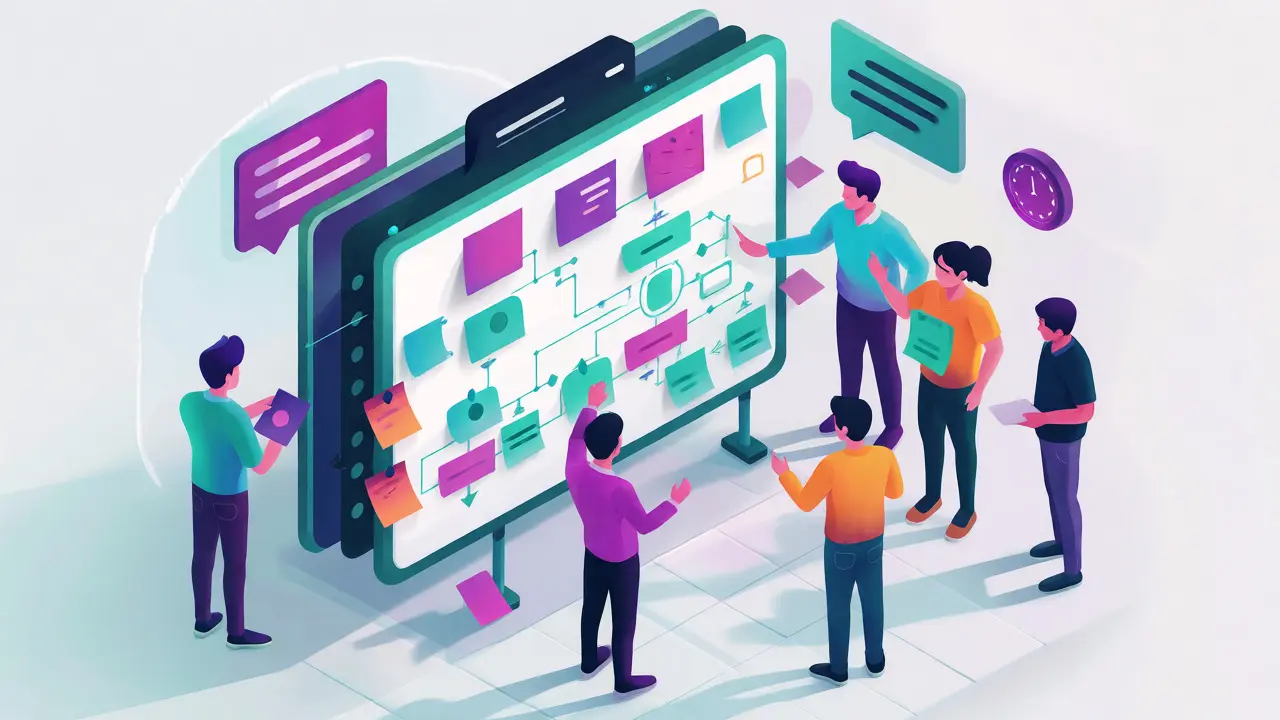
- Collaborative Whiteboards: Tools like Miro or Mural where teams map processes together. Best for design thinking or brainstorming sessions.
- Hardware Simulators: Digital twins of physical machines. Used in manufacturing, healthcare, or aviation training.
For example, if you’re training sales reps on handling objections, a branching scenario is better than a sandbox. Why? Because the skill is emotional and verbal, not technical. Conversely, if you’re teaching Python scripting, a sandbox is essential because syntax errors have specific, fixable causes.
| Lab Type | Best For | Tech Complexity | Facilitator Load |
|---|---|---|---|
| Software Sandbox | Technical skills (coding, IT, finance) | Medium-High | Low (self-paced checks) |
| Branching Scenario | Soft skills (sales, HR, leadership) | Low-Medium | High (debriefing heavy) |
| Collaborative Board | Process mapping, ideation | Low | Medium (moderation) |
| Hardware Simulator | Mechanical operations, safety | Very High | Low (automated feedback) |
The Design Blueprint: From Objective to Interaction
Don’t start with the tool. Start with the job-to-be-done. What should the learner be able to do after the session? If the answer is “explain the concept,” you don’t need a lab. If the answer is “configure the firewall” or “handle an angry client,” you do.
Use the ADDIE model, but tweak it for virtual constraints:
- Analyze: Identify the specific pain point. Is it knowledge gaps or skill gaps? Labs fix skill gaps.
- Design: Create a realistic scenario. Avoid abstract problems. Instead of “calculate ROI,” use “decide whether to approve this $50k marketing spend.”
- Develop: Build the asset. Keep it simple. A complex simulation that takes 20 minutes to load kills momentum.
- Implement: Run the session. Test audio/video sync. Ensure everyone has access before the call starts.
- Evaluate: Measure performance, not attendance. Did they solve the problem correctly? How long did it take?
A key rule: Keep the cognitive load low during the setup phase. If learners spend five minutes figuring out how to log into the lab, they’ve lost focus. Pre-load links, send credentials early, and run a tech check 10 minutes before the session.
Facilitation Techniques for Virtual Labs
Running a lab virtually is harder than in person. You can’t walk around the room. You can’t see who’s stuck unless they speak up. This requires a shift in facilitation style.
First, use breakout rooms strategically. Don’t keep everyone in one big group for problem-solving. Split them into pairs or trios. Smaller groups increase accountability. In a group of 20, one person can hide. In a group of three, hiding is obvious.
Second, set clear timeboxes. Ambiguity creates anxiety. Say, “You have 8 minutes to configure the dashboard. I’ll ping you at 6 minutes.” Then, stick to it. Use a visible timer on screen.
Third, monitor progress actively. Ask specific questions to random participants. “Sarah, what error message are you seeing?” “Mike, did you get past step 3?” This keeps everyone alert. Silence in a virtual lab usually means confusion, not deep thought.
Finally, debrief thoroughly. The learning happens in the reflection, not just the doing. Ask: “What worked? What didn’t? How would you apply this tomorrow?” Connect the simulation back to real-world tasks. If they solved a puzzle in the lab, show them exactly where that logic applies in their daily workflow.
Common Pitfalls and How to Avoid Them
Even well-designed labs fail if you ignore these traps.
The Tech Barrier: If the lab requires a plugin download or a specific browser version, half your class will miss the first 10 minutes. Solution: Use web-based tools that work on Chrome, Edge, and Safari without installs. Test on mobile too, though desktop is preferred for complex labs.
The ‘Click-Through’ Trap: Learners sometimes just click buttons until the green light turns on, without understanding why. Solution: Add checkpoints. Require them to explain their choice in the chat before proceeding. “Type ‘YES’ only if you understand why we chose option B.”
Lack of Context: A simulation feels fake if it doesn’t mirror reality. Solution: Use real data. If you’re training on Salesforce, use anonymized records from your actual database, not generic demo data. Authenticity boosts engagement.
Ignoring Accessibility: Color-blind learners might miss visual cues. Screen readers might skip interactive elements. Solution: Follow WCAG guidelines. Provide text alternatives for graphs. Ensure keyboard navigation works.

Tools of the Trade
You don’t need expensive software to start. Many effective labs can be built with existing platforms.
- Mentimeter or Slido: Great for quick polls and word clouds to gauge understanding during a lab.
- Miro or Mural: Infinite whiteboards for collaborative mapping. Easy to integrate with Zoom.
- Kahoot! or Quizizz: Gamified quizzes that can serve as mini-labs for knowledge checks.
- Twilio or CodePen: For lightweight coding exercises without full IDE setups.
- Articulate Storyline: For creating robust branching scenarios with rich media.
Start small. You don’t need a custom-built simulator for every topic. A well-crafted case study discussed in breakout rooms is a valid lab. A spreadsheet exercise shared via screen share is a valid lab. Focus on interaction, not technology.
Measuring Success Beyond Attendance
How do you know if your lab worked? Attendance is a vanity metric. Look at behavior change.
Track completion rates of post-session challenges. Send a follow-up task one week later. “Apply the negotiation tactic from our simulation to your next client call. Report back.” If 60% report success, your lab was effective.
Use pre- and post-assessments. Not multiple-choice trivia, but practical tests. Before the lab, ask them to draft an email response to a difficult customer. After the lab, ask them to do it again. Compare the quality. Did they use the techniques taught? Did they reduce tone errors?
Gather qualitative feedback. Ask: “What part of the simulation felt most realistic?” and “Where did you feel stuck?” This helps you refine the design for the next cohort.
How many learners can handle a virtual lab simultaneously?
It depends on the complexity and the number of facilitators. For self-paced sandboxes, you can have 50+ learners. For guided breakout activities, aim for 15-20 learners per facilitator. If you have one instructor, keep the total group under 25 to ensure meaningful interaction.
Do I need special software for every VILT lab?
No. Many effective labs use standard tools like Zoom breakout rooms, shared spreadsheets, or document co-editing in Google Docs. Specialized software is only needed for complex simulations requiring specific interfaces or data isolation.
How do I keep learners engaged during a long simulation?
Break it into chunks. Every 10-15 minutes, pause for a quick poll or a pair-share discussion. Introduce unexpected twists in the scenario to maintain tension. Use timers visibly on screen to create urgency.
What if a learner’s internet connection drops during a lab?
Have a backup plan. Save progress frequently if using web apps. Pair learners so they can assist each other. Have a static PDF version of the lab instructions available offline so they can catch up quickly upon reconnection.
Can simulations replace real-world practice entirely?
No. Simulations are safe spaces to make mistakes, but they lack the full emotional and environmental pressure of real life. Use them as a bridge between theory and fieldwork, not a replacement for on-the-job application.

Comments (14)
Lauren Martin October 18 2026
Oh please. This is just another regurgitation of the standard Kirkpatrick model dressed up in 'VILT' buzzwords to sell consulting hours. The claim that passive listening leads to 70% retention loss is a misinterpretation of the Cone of Learning, which has been debunked for decades as lacking empirical rigor. You're conflating cognitive load theory with simple attention spans. If your learners are checking email, it's not because the medium is flawed; it's because your content lacks intrinsic motivation and immediate applicability. Furthermore, suggesting 'breakout rooms' as a solution to engagement ignores the social anxiety prevalent in post-pandemic workforces. People mute themselves not out of boredom, but out of fear of public speaking in a digital fishbowl. Your 'secret weapon' isn't labs; it's competent instructional design that respects adult learning principles (Andragogy) rather than treating employees like kindergarteners needing a toy to stay awake.
Ian Mason-Laurence October 19 2026
I must interject regarding the statistical citation. The study referenced from the Journal of Applied Psychology does indeed support active recall, but the correlation between 'active practice' and 'retention' is heavily moderated by prior knowledge levels. Novices often suffer from the expertise reversal effect where too much autonomy in a lab environment increases extraneous cognitive load, thereby reducing schema construction. Therefore, the assertion that labs are universally superior requires qualification based on learner proficiency. Additionally, the distinction between 'sandboxes' and 'simulations' is technically imprecise in this context; simulations imply fidelity to real-world physics or logic, whereas sandboxes imply freedom from consequence. Conflating these terms dilutes the pedagogical framework being proposed.
evelyn starcher October 19 2026
Ugh, I hate when people try to fix Zoom fatigue with more tech 🙄. It’s so American to think we can just engineer our way out of human disconnection. We need community, not more buttons to click! 😤
Tommy Cahyadi October 20 2026
Right. Because nothing says 'engagement' like forcing introverts into breakout rooms they didn't sign up for. Truly revolutionary stuff here.
Anthony . October 20 2026
Love the focus on psychological safety here! 🌱 It’s easy to forget that virtual spaces can feel exposing. When we design these labs, we’re really designing trust. If someone fails in a sandbox, it should feel like a safe experiment, not a judgment. That emotional container is key. 💚 Also, the point about debriefing is huge. Reflection turns experience into wisdom. Let’s make sure we aren’t just rushing through the activity to hit a metric. Slow down to speed up later. 🧠✨
Kathy Mccoy October 22 2026
This is such a helpful reminder! I’ve been struggling with keeping my remote teams focused during training sessions. The tip about pre-loading links and doing a tech check 10 minutes early is going to save me so much stress. It’s amazing how much momentum you lose just waiting for people to log in. I’m definitely going to try the 'pair-share' strategy mentioned here instead of big group discussions. Sometimes smaller groups do allow for deeper connection and less pressure. Thanks for sharing these practical steps!
Ejike Ugwu October 22 2026
They want us to use their tools, watch their metrics, and pay for their platforms. But who owns the data from these 'labs'? Who sees the chat logs? Who profits when we fail? It’s all surveillance capitalism disguised as education. They measure 'attendance' because they can’t measure soul. Be careful what you feed the machine. 👁️
Kathleen Johnson October 22 2026
The article presents a somewhat idealized view of technical infrastructure. In reality, bandwidth variability in rural areas makes high-fidelity hardware simulators nearly impossible to deploy equitably. Furthermore, the reliance on third-party SaaS platforms introduces vendor lock-in risks that are rarely addressed in L&D literature. While the pedagogical intent is sound, the operational feasibility is overstated for organizations without dedicated IT support structures.
jyotshna Senapati October 24 2026
I tried implementing something similar last quarter and it was a DISASTER. Absolute chaos. People were talking over each other, the audio lagged, and half the team quit the call halfway through. I felt so humiliated. Why does everyone act like this is so easy? It’s not! It’s exhausting trying to manage twenty different personalities on a screen. I’m never doing it again unless I have a co-facilitator. It’s just too much pressure for one person to handle the tech AND the people.
Sundaraiah Kollipara October 25 2026
interesting perspective... but what about the cultural context? in many asian cultures, direct correction in a public forum (even virtual) causes loss of face. so the 'immediate feedback loop' might actually hinder learning if it induces shame rather than clarity. perhaps asynchronous reflection is better for those demographics? also, the assumption that silence equals confusion is western-centric. sometimes silence means deep processing. just thinking out loud here...
Charles Reah October 26 2026
Great insights on the facilitation side. I've found that assigning specific roles within breakout rooms (e.g., timekeeper, note-taker, devil's advocate) helps mitigate the 'social loafing' effect. It gives participants a concrete task beyond just 'discuss,' which reduces ambiguity and keeps energy levels higher. Definitely worth adding to the toolkit.
SHANNON GRUBER October 27 2026
Boring. Standard corporate fluff. No new ideas.
Prayagraj Medicose October 27 2026
Bro, listen. These companies push VILT because it’s cheaper than flying trainers around. They don’t care if you learn. They care about cost-cutting. The 'lab' is just a distraction so you don’t notice you’re working for free while getting trained. Wake up! 🛑💸
Brad Walker October 28 2026
We are merely actors on a digital stage, pretending to learn while the algorithm watches. The simulation is the only reality left. Everything else is noise. The green light turning on is the only truth. 🎭