
You’ve spent weeks recording lectures, designing quizzes, and building a slick interface. But when you upload your core reading material as a giant, unstructured PDF, students often quit before page two. It’s not because they hate reading; it’s because most digital documents are designed for printing, not for scrolling on a phone at 7 AM.
The difference between a resource that gets downloaded and ignored versus one that actually teaches lies in how you format, deliver, and integrate these files. Whether you’re using standard PDFs or interactive E-books, the goal is the same: reduce cognitive load while maximizing retention. Let’s break down exactly how to make static text feel dynamic in your online curriculum.
Why Standard PDFs Often Fail in Digital Learning
Most instructors default to PDFs because they preserve formatting across devices. That sounds great until a student opens a 50-page document on a 6-inch screen. They have to pinch-zoom, scroll horizontally, and lose their place constantly. This friction breaks the flow of learning.
A study by the Nielsen Norman Group highlighted that users prefer linear, single-column layouts for long-form content on mobile devices. Traditional academic PDFs, with their multi-column journals or wide tables, violate this rule. When students struggle just to read the words, they can’t focus on understanding the concepts. You’re asking them to fight the interface instead of engaging with the idea.
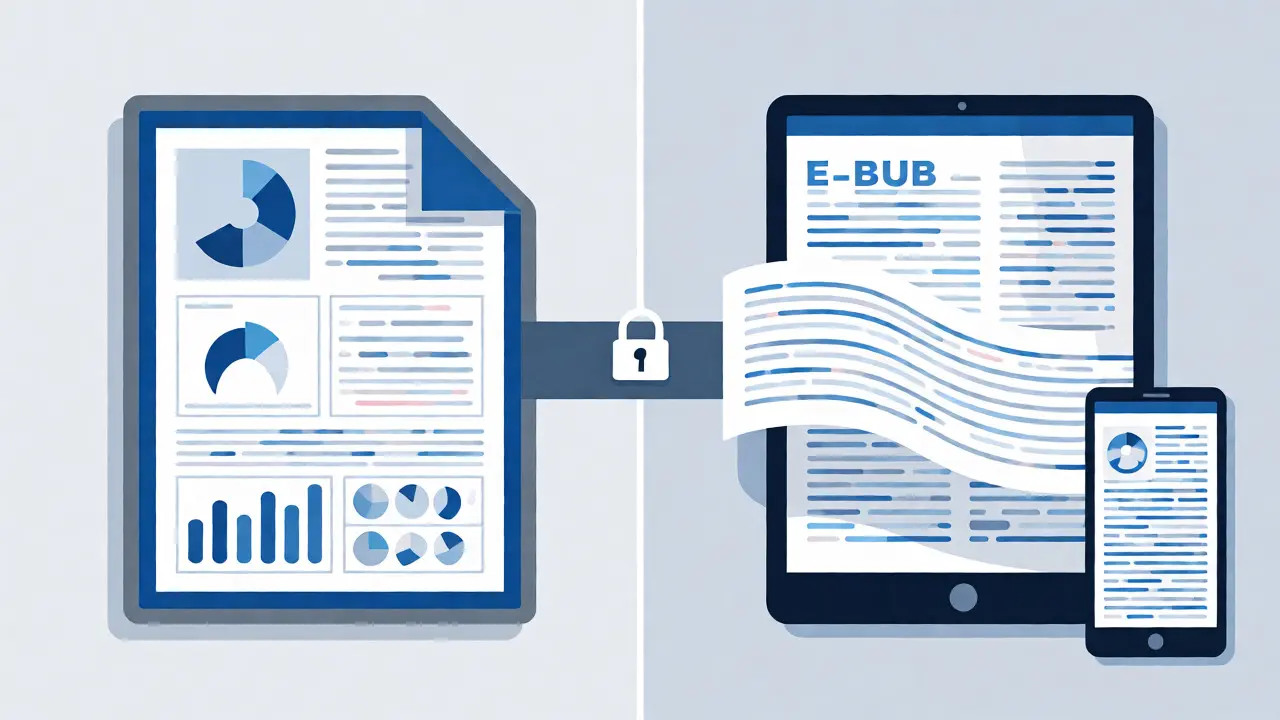
E-books, particularly those in EPUB or MOBI formats, solve some of this by reflowing text to fit the screen. However, they lack the precise layout control needed for diagrams, code snippets, or complex charts. The solution isn’t picking one over the other-it’s knowing which tool fits which specific learning objective.
Choosing Between PDF and E-Book Formats
Don’t treat all your course materials the same. Segment your content based on its structure and purpose. Here is a quick decision framework to help you pick the right format for each module.
| Feature | Standard PDF | Reflowable E-Book (EPUB) |
|---|---|---|
| Best For | Fixed layouts, worksheets, certificates, infographics, legal contracts. | Narrative text, chapters, novels, long-form explanations without complex visuals. |
| Mobile Experience | Poor unless specifically optimized for vertical scrolling. | Excellent; text adapts to screen size automatically. |
| Interactivity | Limited to links and form fields (if created correctly). | Supports internal linking, pop-ups, and media embedding. |
| Accessibility | Requires manual tagging for screen readers; often fails if scanned. | Better native support for text-to-speech and font resizing. |
| Creation Effort | Low; export from Word or Canva. | Medium; requires conversion tools or specialized software like Calibre. |
If your lesson involves analyzing a complex chart where position matters, stick with a PDF. If you’re telling a story about case studies or explaining a theoretical concept through prose, an E-book format provides a smoother reading experience. Mixing both allows you to leverage the strengths of each.
Optimizing PDFs for Student Success
If you must use PDFs-and you likely will for worksheets and handouts-you need to optimize them beyond simple export settings. A raw Word-to-PDF conversion is rarely enough for high-quality online education.
- Create a Table of Contents: Never send a file longer than five pages without bookmarks. In Adobe Acrobat or similar tools, add navigational bookmarks so students can jump to sections instantly. This mimics the utility of a physical index but works faster.
- Use Hyperlinks Wisely: Link directly to external resources, videos, or subsequent modules within the PDF. Don’t make students copy-paste URLs. Ensure the links are visible (underlined or colored) so they know they’re clickable.
- Compress Without Losing Quality: Large files slow down loading times, especially for students on spotty Wi-Fi. Use compression tools to reduce file size while keeping images sharp enough to read. Aim for under 5MB per document if possible.
- Add Fillable Fields: If the PDF is a worksheet, make sure the text boxes are actual form fields, not just images of lines. Students should be able to type answers directly into the document and save it. This eliminates the "print, write, scan" hassle.
One common mistake is ignoring metadata. Rename your files descriptively. Instead of "Module1.pdf," use "M1_Lesson3_MarketingFunnel_StudentHandout.pdf." This helps students organize their downloads and find files later when studying for exams.
Making E-Books Interactive and Engaging
E-books offer opportunities that static PDFs miss. Since the text reflows, you can embed multimedia elements that enhance comprehension. Imagine a chapter on biology where clicking a term brings up a definition popup, or a history lesson where tapping a map zooms into a specific region.
To do this effectively, consider using platforms like Kindle Direct Publishing (KDP) for distribution or specialized authoring tools like Vellum or Sigil for creation. These tools allow you to insert audio clips, video snippets, or interactive quizzes directly into the narrative flow. For instance, if you’re teaching language skills, embedding audio pronunciation guides next to vocabulary lists transforms passive reading into active listening practice.
Another powerful feature is annotation sharing. Some advanced E-book platforms allow students to highlight text and share those highlights with peers. This creates a social layer around solitary reading. You can curate a "most highlighted passages" list after each module, sparking discussion in your course community forums.
Ensuring Accessibility for All Learners
Accessibility isn’t just a compliance checkbox; it’s a quality indicator. According to the Web Content Accessibility Guidelines (WCAG), digital content must be perceivable, operable, understandable, and robust. Many educators overlook this until a student complains.
For PDFs, this means running an accessibility check. Screen readers rely on tagged structures to navigate documents. If your PDF was created by scanning a paper document, it’s essentially an image-unreadable by assistive technology. Always start with a digital source (Word, InDesign) and tag headings, paragraphs, and alternative text for images properly.
For E-books, ensure sufficient contrast ratios between text and background. Avoid using color alone to convey meaning (e.g., "click the red button"). Instead, use labels. Also, provide options for users to adjust font sizes and line spacing. A rigid design excludes learners with visual impairments or dyslexia. Flexibility is key.
Integrating Documents into Your LMS Workflow
Where you host these files matters as much as how they’re formatted. Most Learning Management Systems (LMS) like Canvas, Moodle, or Teachable handle PDFs natively. However, relying solely on the LMS viewer can limit functionality.
Consider offering multiple access points. Provide a direct download link for offline study, but also embed a previewer for quick reference. For E-books, if your LMS doesn’t support EPUB well, consider hosting them on a dedicated platform or providing a web-based reader link. This ensures students don’t get frustrated trying to install third-party apps just to view your content.
Track engagement metrics. Most LMS platforms report whether a file was viewed or downloaded. If you see high download rates but low quiz scores related to that module, your document might be too dense or poorly structured. Use this data to iterate. Maybe the font was too small, or the examples were unclear. Data tells you what students are actually doing, not just what you think they’re doing.
Common Pitfalls to Avoid
Even experienced creators fall into traps that hinder learning. Here are three frequent issues and how to fix them.
- The "Wall of Text" Syndrome: Breaking up long paragraphs is essential. Use subheadings, bullet points, and pull quotes. White space is not wasted space; it gives the brain time to process information. If a paragraph exceeds four sentences, split it.
- Inconsistent Formatting: Switching fonts, sizes, or colors randomly confuses students. Establish a style guide for your course materials. Use bold for definitions, italics for emphasis, and consistent headers for sections. Predictability reduces cognitive load.
- Ignoring Mobile First Design: Over 60% of online learning happens on mobile devices. Test every PDF and E-book on a smartphone before publishing. If you can’t read it comfortably without zooming, neither can your students.
By treating your digital documents as interactive learning objects rather than static archives, you significantly boost completion rates. Students engage more deeply when the medium supports the message rather than obstructing it.
Are PDFs bad for online courses?
No, PDFs are not inherently bad, but they are often misused. They excel for fixed-layout content like worksheets, certificates, and infographics. However, for long-form reading, they can create friction on mobile devices due to zooming requirements. The key is optimizing them with bookmarks, hyperlinks, and fillable forms.
Which is better for students: PDF or EPUB?
It depends on the content type. EPUB is better for narrative text because it reflows to fit any screen size, improving readability on phones and tablets. PDF is better for content where layout precision matters, such as charts, diagrams, or forms. Many successful courses use a hybrid approach, offering EPUBs for reading and PDFs for activities.
How do I make my PDF accessible?
To make a PDF accessible, ensure it has proper tags for headings, paragraphs, and images. Add alt-text to all non-decorative images. Include a table of contents with bookmarks. Run an accessibility check using tools like Adobe Acrobat Pro or free online validators. Avoid scanning paper documents into PDFs, as these are often unreadable by screen readers.
Can I track if students read my PDFs?
Tracking varies by LMS. Most systems record when a file is opened or downloaded. Some advanced integrations can track scroll depth or time spent on the page. To get deeper insights, ask students to complete a short quiz immediately after viewing the document, or require them to submit a filled-out version of the PDF as proof of engagement.
What tools should I use to create interactive E-books?
For creating interactive E-books, tools like Vellum (Mac only), Sigil (free/open-source), and Atticus are popular among authors. For educational contexts, H5P allows you to embed interactive elements into existing content. If you are distributing via Amazon KDP, you can add basic interactivity like footnotes and links, but complex interactions may require custom web-based readers.
