
To get started, we need to understand that Early Childhood Education Online is the delivery of instructional programs and developmental support to children typically aged 0-8 using digital platforms. While some see it as a backup plan, for children with special needs, it can be a controlled environment where they feel safe to experiment and learn at their own pace.
Quick Wins for Digital Learning
- Visual Schedules: Use digital boards to show what happens next to reduce anxiety.
- Sensory Breaks: Schedule 5-minute "wiggle breaks" every 15 minutes of screen time.
- Multi-Sensory Kits: Send physical tactile objects (like play-dough or sand) to accompany the online lesson.
- Short Bursts: Keep direct instruction to 10 minutes or less to match the average attention span of a preschooler.
Supporting Special Populations in a Virtual Space
When we talk about special populations, we are often dealing with Neurodiversity is the concept that neurological differences, such as Autism or ADHD, are natural variations of the human genome. In an online setting, these children often experience less social pressure, which can actually unlock their ability to communicate.
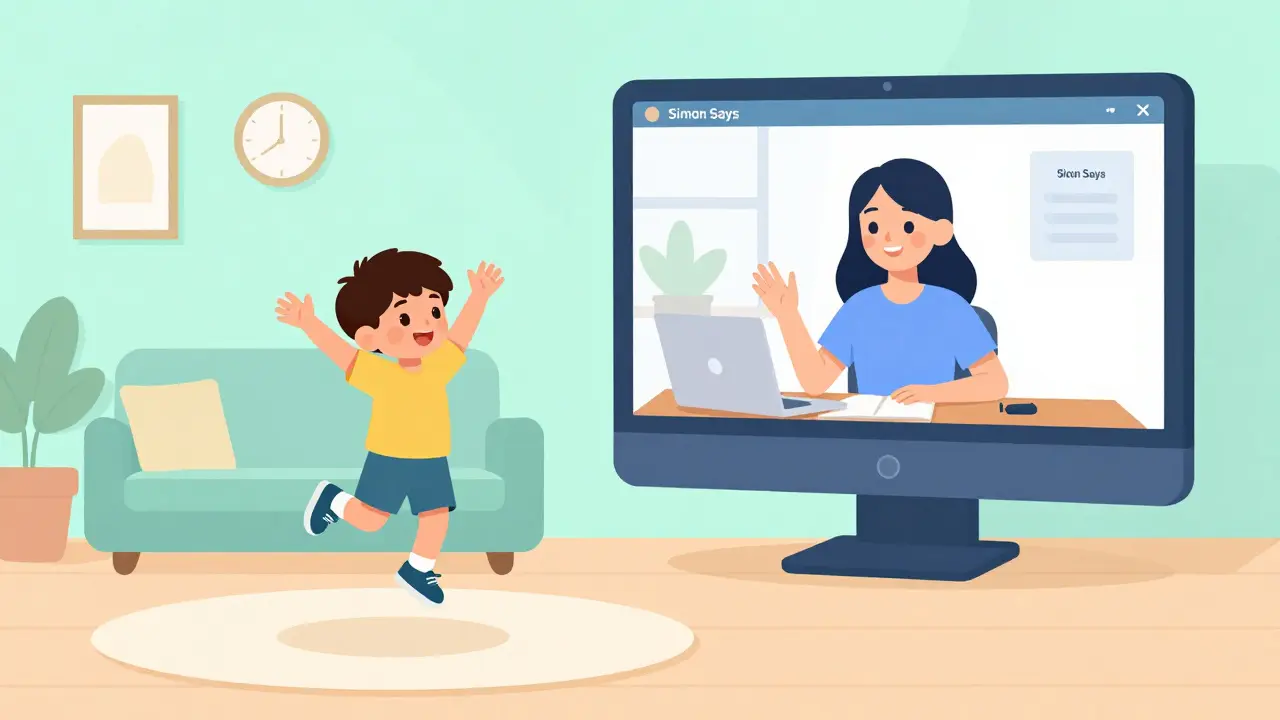
For children with Autism Spectrum Disorder (ASD), the predictable nature of a digital interface can be comforting. You can use a "First/Then" digital board-First: Math Game, Then: Tablet Time. This structure reduces the cognitive load and prevents meltdowns. Similarly, for kids with Attention Deficit Hyperactivity Disorder (ADHD), the ability to incorporate movement-based games (like "Simon Says" via Zoom) keeps them engaged without the shame of being "too active" in a traditional classroom.
Don't forget about physical disabilities. Ensure that the platforms you use are compatible with Assistive Technology, which includes hardware and software used to increase, maintain, or improve the functional capabilities of people with disabilities. This might mean using voice-to-text tools or specialized keyboards that allow a child with limited motor skills to participate in a group story time.
Choosing the Right Online Resources
You don't need a million-dollar budget to find quality resources. The key is to look for platforms that prioritize inclusive learning over flashy animations. Many commercial apps are too stimulating, which can trigger sensory overload in special population students.
| Resource Type | Best For | Key Attribute | Potential Pitfall |
|---|---|---|---|
| Interactive E-Books | Language Development | Visual & Audio Cues | Too many distracting pop-ups |
| Gamified Learning Apps | Cognitive Skills | Immediate Feedback | Can lead to overstimulation |
| Virtual Classroom (Live) | Socialization | Real-time Interaction | High anxiety for some kids |
| Asynchronous Video Modules | Paced Learning | Replayable Content | Lack of immediate support |
The Role of the Individualized Education Program (IEP) Online
An Individualized Education Program (IEP) is a legal document that outlines the specific educational goals and supports a student with a disability requires. Moving this process online requires a shift in how we track progress. Instead of observing a child in a physical room, teachers and parents should use digital portfolios.
Start by recording short clips of the child attempting a task. If a child with a speech delay manages to say "apple" during a virtual fruit-sorting game, that video is a concrete data point for the IEP team. Use shared folders (like Google Drive or Dropbox) to allow therapists, parents, and teachers to collaborate in real-time. This creates a feedback loop that is often faster than waiting for a quarterly meeting.
Creating a Home-Based Digital Learning Hub
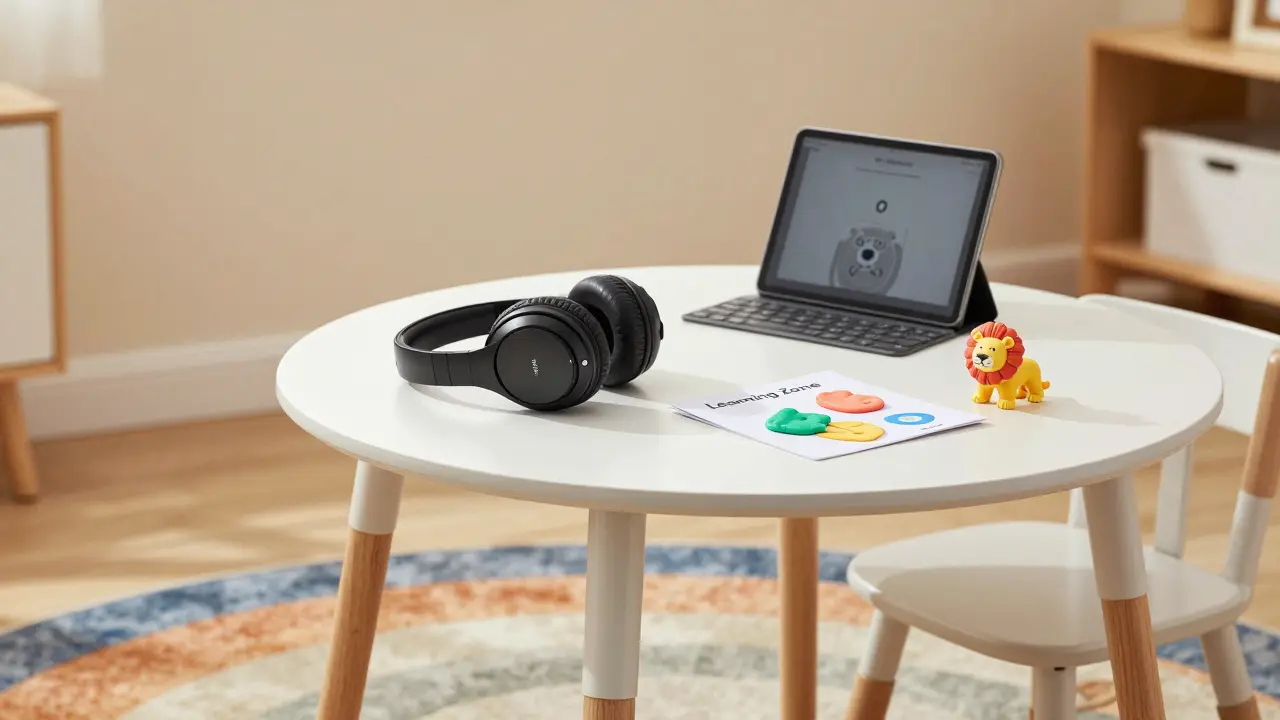
The environment where the child sits is just as important as the website they are visiting. For kids in special populations, a chaotic background is a distraction. Try to create a "Learning Zone" that is distinct from the "Play Zone."
Use a physical boundary, like a colorful rug or a specific chair, to signal that it's time for online learning. If a child is prone to sensory overload, provide a noise-canceling headset. This doesn't just block out the sound of a vacuum in the next room; it helps the child focus specifically on the teacher's voice, reducing the effort needed to process auditory information.
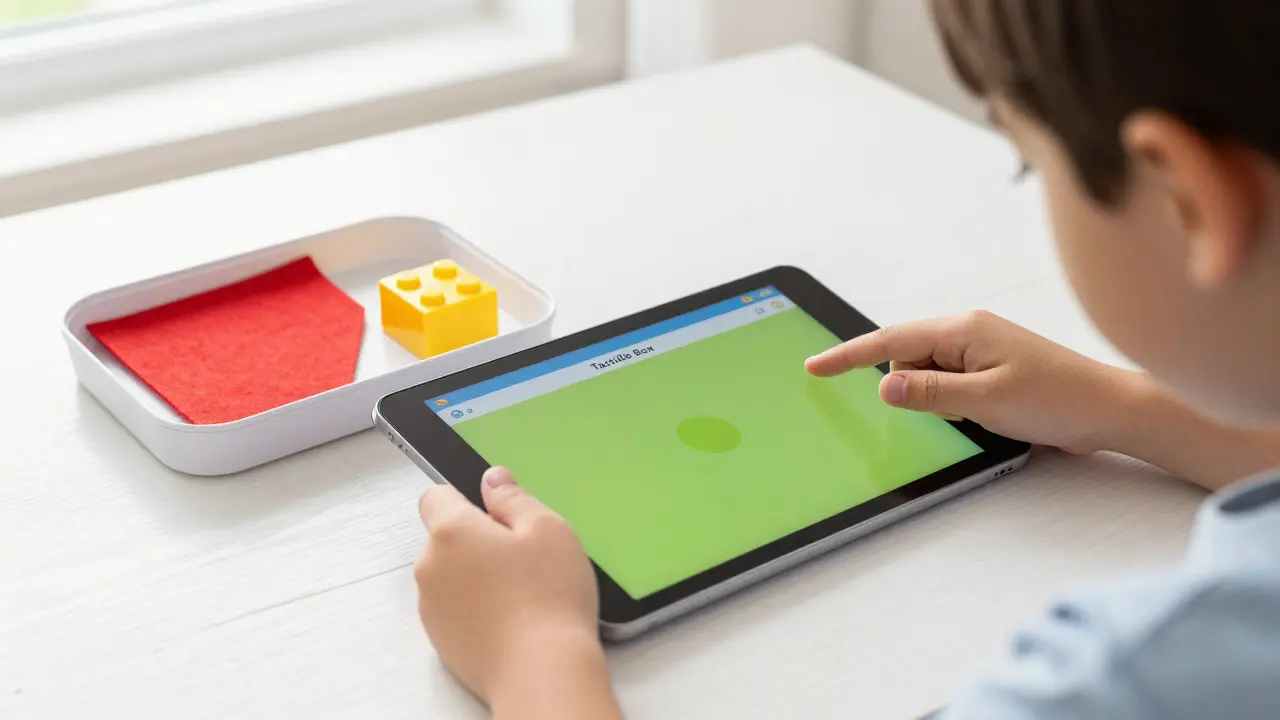
Pair the digital experience with a "Tactile Box." If the online lesson is about animals, have a plastic lion and a piece of faux-fur on the table. This connects the abstract pixels on the screen to the physical world, which is crucial for children with developmental delays who struggle with symbolic thought.
Overcoming Common Virtual Learning Hurdles
One of the biggest complaints is "screen fatigue." No child, especially one with special needs, can stare at a screen for four hours. The solution is a hybrid approach. Use the screen for the "instructional spark"-the part where the new concept is introduced-and then move to a physical activity to practice it.
For example, if the online resource is teaching shapes, spend 5 minutes on a digital shape-matching game, then spend 15 minutes hunting for circles and squares around the living room. This movement helps regulate the nervous system and reinforces the learning. If you notice a child becoming irritable, it's not a behavior problem; it's a sign that their sensory bucket is full. Stop the screen immediately and provide a heavy-work activity, like pushing a laundry basket full of books across the room.
Guidance for Parents and Caregivers
You are not just a supervisor; you are the "co-teacher" in an online setting. This can be overwhelming, especially if you are also working a full-time job. The goal isn't perfection; it's consistency. Start with a very small window of online learning-perhaps 20 minutes a day-and gradually increase it as the child becomes comfortable.
Communicate openly with the educator about what is and isn't working. If the child hates the specific color of the digital background or is terrified by the sound of a certain chime in an app, tell the teacher. In a physical classroom, these things might go unnoticed, but in a virtual setting, they are the primary barriers to learning.
Can online education really be effective for children with severe developmental delays?
Yes, but not as a replacement for all interaction. It works best as a supplementary tool. For children with severe delays, online tools provide repetitive, predictable stimuli that can help them master basic cause-and-effect and communication skills without the stress of a crowded room.
How do I track progress if I can't see the child in person?
Use digital portfolios. Parents can upload short videos of the child performing a task or photos of physical work created during an online lesson. This provides "evidence of learning" that is often more accurate than a teacher's memory of a 30-minute Zoom call.
What is the ideal screen time for a preschooler with special needs?
There is no one-size-fits-all answer, but the general rule is to follow the child's regulation. For many, 15 to 30 minutes of focused digital work followed by a long physical break is the sweet spot. The quality of the interaction matters more than the number of minutes.
Which platforms are most inclusive for special populations?
Look for platforms that offer adjustable speeds, high-contrast modes, and the ability to turn off background music. Tools that allow for asynchronous learning (where the child can pause and rewind) are generally more inclusive than strictly live sessions.
How do I handle a child who refuses to engage with the screen?
First, check for sensory triggers. Is the screen too bright? Is the audio too loud? If the environment is fine, try "bridging." Start with a physical toy they love, and then transition to a digital version of that toy. Never force engagement, as this can create a negative association with learning.
Next Steps for Success
If you are a parent, your first step is to audit your current hardware. Do you have a stable internet connection and a device with a clear camera? Once the tech is sorted, schedule a 15-minute call with your child's specialist to align on one single goal for the month. Don't try to fix everything at once.
If you are an educator, start by creating a "Resource Library" of short, 2-minute videos that children can access independently. This gives the child a sense of autonomy and reduces their reliance on the adult to navigate the digital space. Remember, in the world of special populations, the smallest win-like a child clicking the correct icon independently-is a massive victory.

Comments (11)
Fredda Freyer April 26 2026
The concept of the "instructional spark" is actually a brilliant way to frame the hybrid approach. I've noticed that for many neurodivergent children, the digital interface acts as a low-stakes gateway that removes the immediate social anxiety of eye contact or physical proximity, which often shuts them down in a classroom. However, we must be careful not to let the tool become the destination. The real magic happens in that transition from the screen to the tactile world, where the abstract concept becomes a lived experience. If we can refine the hand-off between the digital trigger and the physical application, we're not just teaching colors or shapes; we're teaching the brain how to map digital information onto physical reality. It's essentially building a cognitive bridge that helps them navigate a world that isn't always designed for their sensory profiles.
Nicholas Zeitler April 27 2026
Love the idea of a Tactile Box!!! It's such a game changer for kids who need to feel things to understand them!!! Keep pushing for these inclusive strategies!!!
Zelda Breach April 29 2026
Oh, wonderful. Another guide telling us that staring at a glowing rectangle is the "secret" to helping children with autism. I'm sure the corporate software companies are thrilled that we're rebranding screen addiction as "inclusive learning." Also, the phrasing in the IEP section is absolutely abysmal. Who actually writes like this now?
Mark Nitka April 30 2026
I disagree with the notion that screen time is a nightmare here. For a lot of these kids, the predictability of an app is the only thing that keeps them from spiraling. It's about control, not addiction.
Gareth Hobbs May 1 2026
Absolute rubbish!!! This is just a way for big tech to get their claws into toddlers... it's all a plot to track them from birth!!! Who cares about "digital portfolios" when the government is just vacuuming up data!!!! Totally mental!!!!
Aryan Gupta May 3 2026
The author uses the term "Neurodiversity is the concept" within a sentence that is grammatically incoherent. It's a fragment masquerading as a definition. Furthermore, the reliance on Google Drive for IEP data is a security nightmare waiting to happen. Do you really trust a cloud server with sensitive medical and educational records? I suspect these platforms are designed for data harvesting more than "inclusive learning." It's quite obvious if you look at the terms of service.
Tyler Springall May 3 2026
I find the suggestion of a "colorful rug" to be quaintly simplistic. Some of us deal with far more complex sensory integrations than a simple rug can solve. It's almost offensive to imply that a piece of fabric is a sufficient "boundary" for a child in a true crisis. Truly a pedestrian approach to a sophisticated problem.
Kelley Nelson May 5 2026
One might suggest that the implementation of such a system requires a level of parental discipline that is, unfortunately, lacking in the general population. It is quite regrettable that the burden of "co-teaching" is placed upon individuals who may not possess the pedagogical training required to facilitate such an environment effectively.
Alan Crierie May 7 2026
It's all about finding what works for the little ones 🌟 The wiggle breaks are such a great shout! 🏃♂️💨
Dmitriy Fedoseff May 7 2026
This is an absolute joke. You're talking about "digital hubs" while ignoring the systemic failure of the education system to actually fund these resources. It's a philosophical wasteland to suggest a "stable internet connection" is a simple first step when half the population is living in digital poverty. Stop pretending a few apps can replace a dedicated human being in the room. It's a lie and a dangerous one at that.
Patrick Bass May 8 2026
Fine.