

Most organizations sit on a goldmine of employee data that they completely ignore. You have performance reviews, training records, project outcomes, and self-assessments sitting in separate spreadsheets or HR systems. The problem isn't the lack of information; it's the inability to see the connections between what people know and how they perform. This is where analytics dashboards for skills and competencies change the game. They turn raw data into visual stories that help you spot gaps, identify high potentials, and make smarter hiring decisions.
Imagine looking at a single screen and instantly knowing which team lacks critical cybersecurity skills or which department is overqualified for its current workload. That clarity doesn't come from reading hundreds of PDF reports. It comes from well-designed data visualization. In this guide, we will break down how to build these dashboards, what metrics actually matter, and how to avoid common pitfalls that render your data useless.
The Core Problem: Data Silos vs. Holistic Views
Before you can visualize skills, you need to understand why traditional methods fail. Most companies treat skills as static attributes listed in an employee handbook. But skills are dynamic. They evolve with every project, every course completed, and every feedback session. When you keep this data in silos-HR in one system, LMS (Learning Management System) in another, and performance data in a third-you lose the narrative.
Learning analytics is the measurement, collection, analysis, and reporting of data about learners and their contexts, for the purposes of understanding and optimizing learning and the environments in which it occurs. In a corporate setting, this shifts focus from individual student progress to organizational capability. The goal is not just to track who took a course, but to measure if that course improved job performance. Without a unified dashboard, you cannot answer questions like "Does completing our leadership program correlate with higher team retention?" You are left guessing instead of knowing.
Key Metrics for Skills Visualization
Not all data is worth visualizing. If you put everything on a dashboard, you get noise. To build an effective tool, you must focus on specific entities and their relationships. Here are the core metrics you should prioritize:
- Skill Gaps: The difference between required competencies for a role and the actual proficiency levels of employees. Visualize this using heat maps where red indicates critical shortages.
- Proficiency Distribution: How many employees are beginners, intermediates, or experts in key areas? Use histograms to show the spread. A healthy organization usually has a bell curve, not a flat line.
- Training ROI: Correlate training hours with performance improvements. Line charts work best here to show trends over time.
- Mobility Potential: Identify employees whose skill sets align with open roles in other departments. Network graphs can illustrate these internal movement possibilities.
- Criticality Index: Rate skills by business impact. Not all skills are equal. Coding might be more critical than general administrative knowledge in a tech firm. Weight your visuals accordingly.
Choosing the Right Visualization Types
The way you present data changes how people interpret it. Using the wrong chart type can lead to bad decisions. For example, using a pie chart to show complex skill distributions often confuses viewers because humans are bad at comparing angles. Instead, use bar charts or stacked columns for clear comparisons.
| Data Type | Recommended Chart | Why It Works |
|---|---|---|
| Skill Gap Analysis | Heat Map | Instantly highlights areas of concern through color intensity. |
| Individual Proficiency | Radar Chart | Shows multi-dimensional skills for a single person clearly. |
| Trend Over Time | Line Chart | Easy to follow progression of skill acquisition. |
| Department Comparison | Stacked Bar Chart | Allows comparison of total volume and composition across groups. |
| Inter-departmental Mobility | Sankey Diagram | Visualizes flow of talent and skills between teams. |
When building your dashboard, remember that simplicity wins. Avoid clutter. Each visual should answer one specific question. If a chart requires a legend with ten items, it is too complex. Break it down into smaller, focused views.

Building the Dashboard: Step-by-Step
You don't need to be a data scientist to start. Many modern platforms offer drag-and-drop interfaces. However, the preparation work is crucial. Follow these steps to ensure your dashboard provides real value.
- Define Your Taxonomy: Create a standardized list of skills and competencies. Ambiguity is the enemy of analytics. Ensure everyone agrees on what "Advanced Python" means versus "Intermediate Python." Use clear definitions and assessment criteria.
- Integrate Data Sources: Connect your HRIS, LMS, and performance management tools. APIs are your friend here. Automate data flows so your dashboard updates in near real-time. Manual entry leads to outdated information and user distrust.
- Design for User Roles: Different stakeholders need different views. Executives want high-level trends and risk assessments. Managers need team-specific gap analyses. Employees want personal development paths. Build role-based access controls and tailored views.
- Implement Interactive Filters: Allow users to slice data by department, location, tenure, or job level. Interactivity turns a static report into an exploration tool. Users should be able to drill down from company-wide stats to individual profiles.
- Test and Iterate: Launch a pilot version with a small group of managers. Gather feedback on usability and relevance. Are they finding insights? Are they confused by any metrics? Refine based on real usage patterns.
Common Pitfalls to Avoid
Even with good intentions, many skill analytics projects fail. Understanding these traps helps you steer clear.
Over-reliance on Self-Assessment: People tend to overestimate their skills. While self-assessments are useful for identifying interest, they should be balanced with manager ratings, peer reviews, or objective assessments. Triangulate data sources for accuracy.
Ignoring Context: A skill gap in a mature department might be less urgent than in a new startup division. Add context layers to your visuals. Show not just the gap, but the business impact of that gap.
Static Dashboards: Skills change rapidly. A dashboard built last year may be irrelevant today. Ensure your system captures continuous learning and micro-certifications. Update your taxonomy regularly to reflect emerging technologies and methodologies.
Lack of Actionability: Insight without action is vanity. Every insight on your dashboard should link to a recommended action. If there is a skill gap, suggest relevant courses or internal mentors. Make the path forward clear.
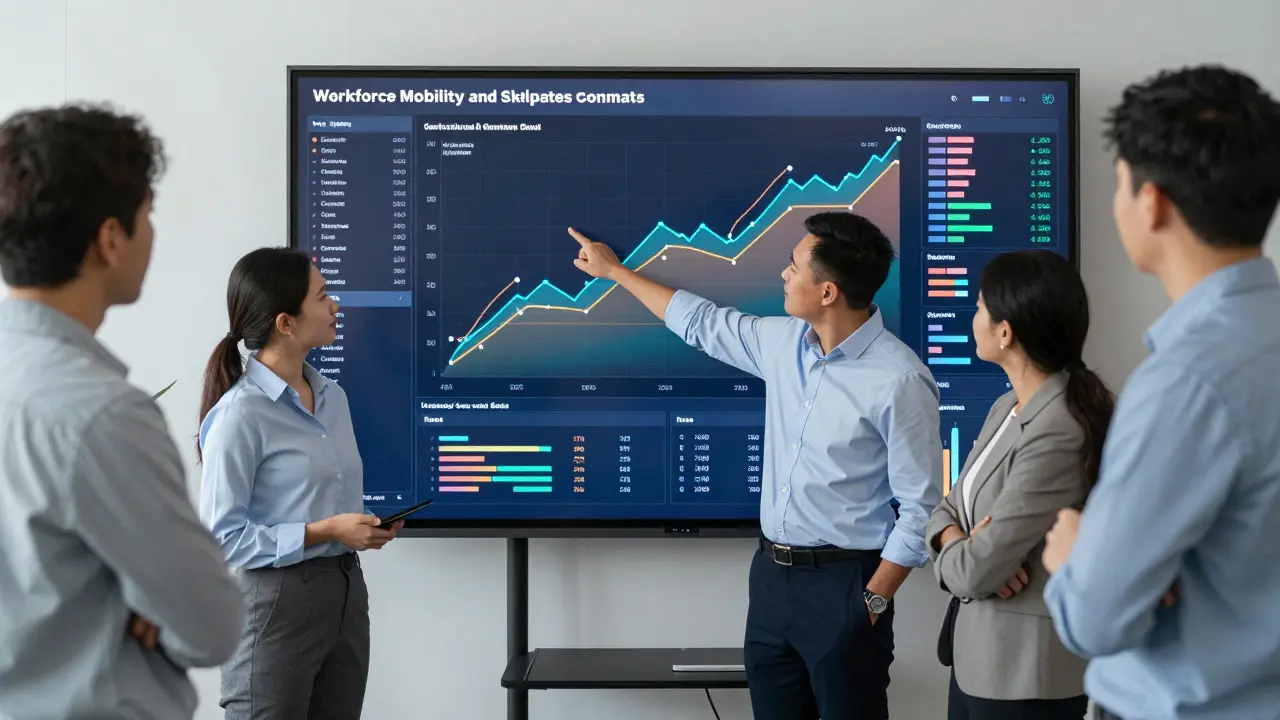
Real-World Applications
How do leading organizations use these dashboards? Consider a global manufacturing firm facing automation transitions. They used skills analytics to map current workforce capabilities against future robotic maintenance needs. The dashboard revealed a critical shortage in mechatronics skills among their older technician base. Instead of mass layoffs, they targeted upskilling programs for those most likely to succeed, saving millions in recruitment costs and preserving institutional knowledge.
Another example is a software company using competency dashboards for project staffing. By visualizing real-time availability and skill matches, they reduced project delays by 30%. Managers could instantly see who had the right mix of frontend and backend expertise and was free to take on new work. This agility gave them a competitive edge in delivering client solutions faster.
Future Trends in Skills Analytics
The field is evolving quickly. Artificial intelligence is beginning to play a larger role. AI can predict future skill demands based on market trends and internal project pipelines. Imagine a dashboard that warns you six months in advance that you will need more data scientists next quarter, suggesting proactive hiring or training plans.
Additionally, blockchain technology is being explored for verifying credentials. As digital badges and micro-credentials become standard, dashboards may integrate verified, tamper-proof skill records from external providers. This creates a more trustworthy ecosystem for talent mobility both internally and externally.
Finally, expect more emphasis on soft skills. While technical skills are easier to measure, emotional intelligence, collaboration, and adaptability are increasingly critical. New algorithms are emerging to analyze communication patterns and teamwork dynamics, adding depth to traditional competency models.
Getting Started Today
You don't need a massive budget to begin. Start small. Pick one critical function or department. Define five key skills. Collect existing data. Build a simple prototype using Excel or a basic BI tool like Power BI or Tableau. Show it to stakeholders. Get feedback. Expand gradually. The key is momentum. Once people see the value of visualizing skills, they will demand more sophistication and broader coverage.
Remember, the goal is not just pretty charts. It is about making better decisions. Whether you are planning succession, designing training programs, or restructuring teams, data-driven insights provide a solid foundation. Embrace the process, stay curious, and let the data guide your strategy.
What is the best tool for creating skills analytics dashboards?
There is no single best tool, as it depends on your existing tech stack. Popular options include Microsoft Power BI, Tableau, and Looker for general business intelligence. For specialized HR analytics, platforms like Workday Prism Analytics or SAP SuccessFactors Analytics offer pre-built templates for skills data. Start with whatever integrates easily with your current HRIS to minimize setup time.
How often should skills data be updated in a dashboard?
Ideally, data should update in near real-time or at least weekly. Skills change frequently due to ongoing projects, informal learning, and quick certifications. Stale data leads to poor decisions. Automated integrations with LMS and performance systems ensure freshness without manual effort.
Can skills analytics help with diversity and inclusion efforts?
Yes, absolutely. By anonymizing demographic data and overlaying it with skills distribution, you can identify biases in promotion opportunities, training access, or project assignments. Dashboards can reveal if certain groups are underrepresented in high-value skill areas, enabling targeted interventions to promote equity.
What are the privacy concerns with tracking employee skills?
Privacy is paramount. Always comply with local regulations like GDPR. Be transparent with employees about what data is collected and how it is used. Focus on aggregate insights for management views and restrict detailed individual data to authorized personnel only. Anonymize data whenever possible for broader trend analysis.
How do I define 'proficiency' levels consistently?
Create a clear competency framework with behavioral indicators for each level. For example, Level 1 might mean 'can perform tasks with supervision,' while Level 5 means 'can teach others and solve complex problems.' Train managers and employees on these definitions to ensure consistent self-assessments and evaluations.
