

Imagine trying to read a menu where the font is tiny, the items are listed in random order, and the descriptions use complex culinary jargon. Now imagine that menu is your only way to learn a critical skill for your career or degree. For millions of learners with cognitive disabilities-including dyslexia, ADHD, autism, and memory impairments-this is not a hypothetical scenario. It is their daily reality in many online courses.
Cognitive accessibility isn't just about making content readable; it's about designing learning experiences that respect how the human brain processes information. When we ignore cognitive accessibility, we don't just exclude a minority group. We create friction for everyone. A cluttered interface confuses the neurotypical student just as much as it overwhelms the neurodivergent one. The goal here is simple: reduce unnecessary mental effort so learners can focus on mastering the material, not fighting the format.
Understanding Cognitive Load and Learner Needs
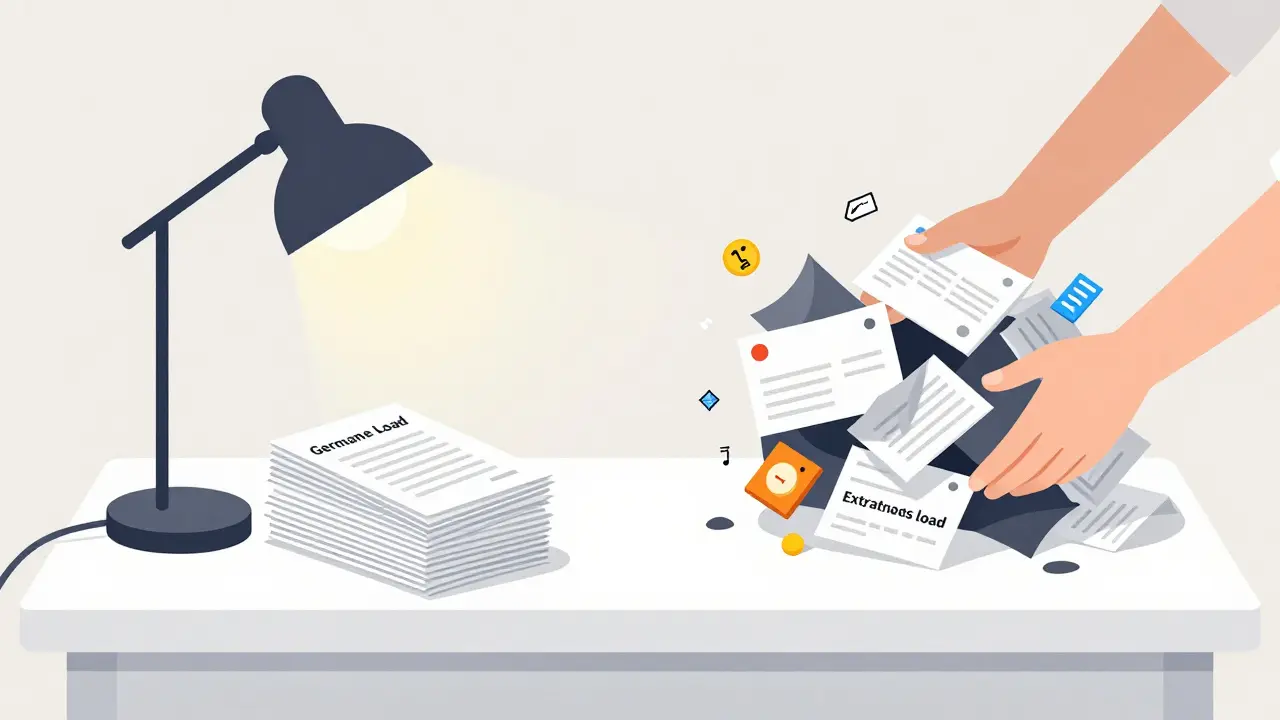
To design for cognitive accessibility, you first need to understand the bottleneck: cognitive load. This concept, rooted in educational psychology, refers to the amount of working memory resources used at any given time. Think of working memory like a small desk. If you pile too many papers (information) on it, you can't find what you need. If the papers are messy (poor structure), it takes even longer to sort them out.
There are three types of cognitive load to consider:
- Intrinsic Load: The inherent difficulty of the subject matter. You can't remove this without dumbing down the content, but you can manage it by breaking complex topics into smaller chunks.
- Extraneous Load: The bad design. This includes confusing navigation, distracting animations, or inconsistent terminology. This is the enemy. Your job is to eliminate it completely.
- Germane Load: The good effort. This is the energy spent actually learning and creating long-term understanding. We want to maximize this by freeing up space from extraneous load.
For learners with conditions like ADHD, extraneous load is particularly dangerous. A page filled with pop-ups, auto-playing videos, and dense text blocks creates sensory overload, causing the learner to shut down entirely. By contrast, a clean, predictable layout allows them to engage deeply with the core concepts.
Structuring Content for Clarity and Predictability
Structure is the backbone of cognitive accessibility. Without it, learners have to spend precious mental energy figuring out where they are, where they’re going, and what’s important. This is often called "wayfinding" in instructional design.
Start with clear, descriptive headings. Never use generic headers like "Introduction" or "Next Steps." Instead, use headers that tell the learner exactly what information follows, such as "Calculating Net Profit" or "Submitting Your Final Assignment." This allows users who rely on screen readers or keyboard navigation to scan the document quickly and jump to relevant sections.
Consistency is equally vital. If a button means "submit" on one page, it must mean "submit" on every page. If links open in new tabs, do it consistently-or better yet, avoid opening new tabs unless absolutely necessary, as it disorients users relying on assistive technology. Use standard HTML heading tags (H1, H2, H3) in logical order. Skipping from H1 to H4 breaks the semantic structure, making the content invisible to screen readers and hard to follow for anyone skimming.
Consider the visual hierarchy. Use white space generously. Large blocks of text look intimidating and increase anxiety. Break paragraphs into short sentences. Use bullet points for lists. Bold key terms sparingly to guide the eye, but don’t bold entire paragraphs, which defeats the purpose of emphasis.
Supporting Diverse Learning Styles Through Multimodal Design
No single mode of delivery works for everyone. Some learners process information best through reading, others through listening, and some through doing. Cognitive accessibility requires multimodal support-not just for compliance, but for effectiveness.
If you provide a video lecture, always include accurate captions and a transcript. Captions help deaf and hard-of-hearing students, but they also aid those with auditory processing disorders or English language learners. Transcripts allow students to search for specific keywords within the lecture, saving time and reducing frustration.
When using images, charts, or diagrams, provide detailed alt text. Don’t just say "chart showing sales." Say "Bar chart showing quarterly sales growth from Q1 to Q4, with Q3 peaking at $50,000." This ensures that blind or low-vision users receive the same data insights as sighted peers.
Avoid relying solely on color to convey meaning. Red doesn’t always mean "error," and green doesn’t always mean "go" for people with color blindness. Use icons, text labels, or patterns alongside colors to ensure information is universally perceivable.
Reducing Distractions and Managing Time Pressure
Time pressure is a major barrier for many neurodivergent learners. Students with dyslexia may read slower than their peers. Those with anxiety may freeze under tight deadlines. Rigid timers on quizzes or assignments can trigger panic attacks rather than demonstrate knowledge.
Offer flexible time limits. Allow extra time for assessments where possible, or let students self-pace through modules. If a timer is mandatory for security reasons, make it visible and non-intrusive. Avoid countdown clocks that flash red, as these can be visually startling and increase stress levels.
Minimize multimedia distractions. Auto-playing videos with sound are disruptive in shared spaces and overwhelming for sensitive learners. Always give users control over playback. Disable auto-play by default, and ensure audio can be paused easily. Keep background music out of instructional videos-it rarely adds value and often competes with the narrator’s voice for attention.

Practical Checklist for Inclusive Course Design
Here’s a quick checklist to audit your current course materials:
- Are all headings properly tagged and logically ordered?
- Is there a consistent layout across all pages?
- Do all images have meaningful alt text?
- Are videos captioned and transcripts available?
- Is text resizable up to 200% without breaking the layout?
- Are instructions clear, concise, and free of jargon?
- Are deadlines flexible or accompanied by extension policies?
- Is navigation intuitive and predictable?
This isn’t about adding more work. It’s about removing barriers. When you strip away the noise, the signal becomes clearer for everyone.
The Business Case for Cognitive Accessibility
Beyond ethics and inclusion, cognitive accessibility makes business sense. Institutions that fail to accommodate diverse learners face higher dropout rates, lower satisfaction scores, and potential legal risks under laws like the Equality Act 2010 in the UK or Section 508 in the US. Conversely, accessible courses tend to perform better across the board. Clean design improves engagement. Clear instructions reduce support tickets. Flexible pacing increases completion rates.
Moreover, accessible content is often better SEO-friendly content. Search engines favor well-structured, semantically rich pages with proper headings and alt text-the same elements that benefit screen reader users. So, optimizing for cognitive accessibility simultaneously boosts discoverability.
What is cognitive accessibility in education?
Cognitive accessibility refers to designing educational materials and platforms so that they are easy to understand, navigate, and process for learners with cognitive differences, including ADHD, dyslexia, autism, and memory impairments. It focuses on reducing unnecessary mental effort and supporting diverse learning needs.
How does cognitive load affect learning?
Cognitive load is the amount of working memory being used. High extraneous load (caused by poor design) overwhelms learners, leaving less capacity for actual learning (germane load). Effective course design minimizes extraneous load to maximize comprehension and retention.
Why are captions and transcripts important for accessibility?
Captions and transcripts support deaf and hard-of-hearing students, but also help those with auditory processing issues, English language learners, and anyone reviewing content in noisy environments. They allow learners to consume information at their own pace and search for specific details.
Should I avoid using timers in online assessments?
Yes, whenever possible. Timers can cause significant anxiety and disadvantage learners who process information more slowly. If timers are required, make them optional or provide extended time accommodations. Always prioritize measuring knowledge over speed.
How can I check if my course is cognitively accessible?
Use automated tools like WAVE or axe to identify structural issues, then conduct manual testing with real users, including those with cognitive disabilities. Review your content against WCAG 2.1 guidelines, focusing on clarity, consistency, and predictability. Ask: Is the path forward obvious? Is the language simple? Are distractions minimized?
